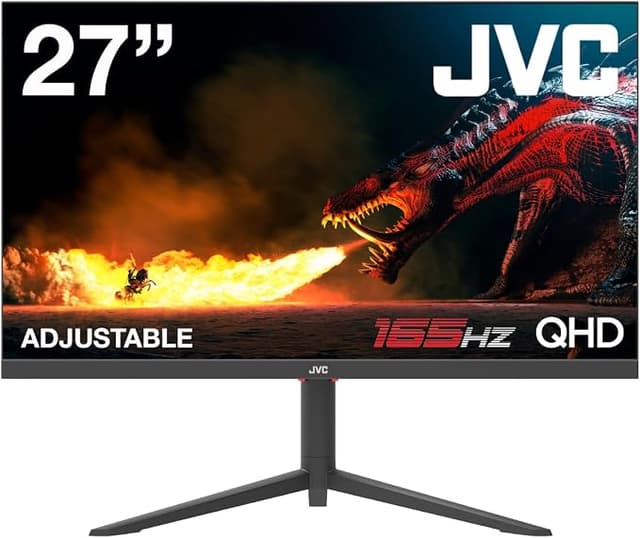
Get your best work done with this Philips monitor. Crystal-clear QHD gives the space and clarity for your work. Loaded with features to improve productivity and sustainability. Eye comfort features with TUV certified to reduce eye fatigue.
Get your best work done with this Philips monitor. Crystal-clear QHD gives the space and clarity for your work. Loaded with features to improve productivity and sustainability. Eye comfort features with TUV certified to reduce eye fatigue.
Philips 275B1 27-Inch QHD Monitor
Get your best work done with this Philips monitor. Crystal-clear QHD gives the space and clarity for your work. Loaded with features to improve productivity and sustainability. Eye comfort features with TUV certified to reduce eye fatigue.
Get your best work done with this Philips monitor. Crystal-clear QHD gives the space and clarity for your work. Loaded with features to improve productivity and sustainability. Eye comfort features with TUV certified to reduce eye fatigue.
in 7 offers
The lowest price for Philips 275B1 27-Inch QHD Monitor right now is $329.00 at Umart, compared across 7 retailers.
The all-time low was $93.00 on 10 Mar 2026 — today's price is 254% above the lowest ever. It has been notably cheaper before — worth setting a price alert.
Prices last updated 8 Sept 2026.
Last updated at 08/09/2026 20:38:54
Philips 27in QHD IPS 75Hz Adaptive Sync Monitor 275B1 - Monitors
Delivery $32.22
Philips 27in QHD IPS 75Hz Adaptive Sync Monitor 275B1 - Monitors
Delivery $29
"Philips B Line 27"QHD 75Hz IPS PowerSensor Business Monitor - 275B1"
Delivery $14.99
Philips 275B1, 27" IPS WLED, 2560x1440, 16:9, 4ms, 75Hz, Adaptiv Sync, 1xHDMI, 2xDP, 1xDVI-D, LAN, Speakers, VESA, Adjustable Height, Tilt, Swivel,
Delivery $15
Philips 275B1 27" QHD IPS 75Hz Monitor with PowerSensor
Delivery between 10–16 Sept $11.95
"Philips 275B1 27"Class WQHD LCD Monitor - 16:9 - Textured Black - 27" Viewable - In-plane Switching (IPS) Technology - WLED Backlight - 2560 x 1440"
Delivery $7.95
Philips 275B1 27" Class WQHD LCD Monitor - 16:9 - Textured Black - 27" Viewable - In-plane Switching (IPS) Technology - WLED Backlight - 2560 x 1440
Free delivery between Fri – Tue
originally posted on philips.com.au
Pros:The bang for the buck, relatively high refresh rate (100hz), 34 inch, okay pannel, built in dock with kvm(awesome), PD 90W, very friendly to 15inch above MBP and other usb c charged devices. Plenty of other ports, my setup is: thunder bolt 3 cable connect to my macbook pro 16, charging, data transfer and video input at the same time; i have a benq screenbar charged by one of the usb port; i have a wireless charger connects to another usb port; display port connects to my pc so that i can use picture by picture or picture in picture along with the macbook; usb upstream port connects to my pc so i can use one set of keyboard and mouse between pc and macbook, simply toggle kvm source (usb c or usb upstream). Overall, a good all rounder, productivity with gaming ... MorePros:The bang for the buck, relatively high refresh rate (100hz), 34 inch, okay pannel, built in dock with kvm(awesome), PD 90W, very friendly to 15inch above MBP and other usb c charged devices. Plenty of other ports, my setup is: thunder bolt 3 cable connect to my macbook pro 16, charging, data transfer and video input at the same time; i have a benq screenbar charged by one of the usb port; i have a wireless charger connects to another usb port; display port connects to my pc so that i can use picture by picture or picture in picture along with the macbook; usb upstream port connects to my pc so i can use one set of keyboard and mouse between pc and macbook, simply toggle kvm source (usb c or usb upstream). Overall, a good all rounder, productivity with gaming potential(non-hardcore) . There are other ultrawide monitors out there but non has this wide range of features at this price point. If you willing spend double the $, google 49inch monitors. You will seeCons: Panel isnt very great, but considering the price, didnt expect too much. Maybe not ideal for designers. Plastic doesnt feel premium, good quality though. Not a fan of the stand design, takes too much space. I actually bought a monitor mounting arm, much better.BTW, I saw someone complained that usb c doesnt work on this monitor...please read the manual, you will need THUNDER BOLT 3 CABLE to do that. The usb type c cable from macbook pro is NOT THUNDER BOLT 3. You can buy THUNDER BOLT 3 from apple or anywhere else, just make sure it's thunderbolt 3...
originally posted on philips.com.au
I bought this monitor to use with both a Mac computer and an older PC, and it works really well with both (the Mac via the HDMI input, the PC via the DVI input). The screen is excellent, and the monitor has numerous features such as power and light sensors, LowBlue mode, excellent colour gamut, good viewing angle, and adjustments for height, pivot, swivel and tilt. It can be used for gaming, but overall it has proved to be a great general purpose monitor and very good value for the price.
originally posted on philips.co.uk
At its core, this is a good quality monitor. The image quality is good and the resolution is high. However, the claim that it is 'frameless' on 3 sides is misleading in my view. But for the price, it is a decent package for my primary use which is business. I bought this monitor for the USB-C connectivity which is excellent, meaning I can plug in my Macbook Pro with just a single cable, delivering power, video, audio and all other device connectivity.There are two key drawbacks to this product. Firstly, although it has built in speakers, the sound quality is so poor that they are unusable. The sound is akin to that of a mobile phone - much worse than my laptop speakers. Secondly, I was horrified by the product's packaging - full of non-recyclable plastic. Very ... MoreAt its core, this is a good quality monitor. The image quality is good and the resolution is high. However, the claim that it is 'frameless' on 3 sides is misleading in my view. But for the price, it is a decent package for my primary use which is business. I bought this monitor for the USB-C connectivity which is excellent, meaning I can plug in my Macbook Pro with just a single cable, delivering power, video, audio and all other device connectivity.There are two key drawbacks to this product. Firstly, although it has built in speakers, the sound quality is so poor that they are unusable. The sound is akin to that of a mobile phone - much worse than my laptop speakers. Secondly, I was horrified by the product's packaging - full of non-recyclable plastic. Very disappointing from a well-known brand.
| VPN | 275B1 |
| Screen Size | 27" ~ 29" |
| Maximum Resolution | 2560x1440 |
| Display Panel Type | IPS |
| Maximum Refresh Rate | 75Hz |
Philips 27in QHD IPS 75Hz Adaptive Sync Monitor 275B1 - Monitors
Delivery $32.22
Philips 27in QHD IPS 75Hz Adaptive Sync Monitor 275B1 - Monitors
Delivery $29
"Philips B Line 27"QHD 75Hz IPS PowerSensor Business Monitor - 275B1"
Delivery $14.99
Philips 275B1, 27" IPS WLED, 2560x1440, 16:9, 4ms, 75Hz, Adaptiv Sync, 1xHDMI, 2xDP, 1xDVI-D, LAN, Speakers, VESA, Adjustable Height, Tilt, Swivel,
Delivery $15
Philips 275B1 27" QHD IPS 75Hz Monitor with PowerSensor
Delivery between 10–16 Sept $11.95
Pros:The bang for the buck, relatively high refresh rate (100hz), 34 inch, okay pannel, built in dock with kvm(awesome), PD 90W, very friendly to 15inch above MBP and other usb c charged devices. Plenty of other ports, my setup is: thunder bolt 3 cable connect to my macbook pro 16, charging, data transfer and video input at the same time; i have a benq screenbar charged by one of the usb port; i have a wireless charger connects to another usb port; display port connects to my pc so that i can use picture by picture or picture in picture along with the macbook; usb upstream port connects to my pc so i can use one set of keyboard and mouse between pc and macbook, simply toggle kvm source (usb c or usb upstream). Overall, a good all rounder, productivity with gaming ... MorePros:The bang for the buck, relatively high refresh rate (100hz), 34 inch, okay pannel, built in dock with kvm(awesome), PD 90W, very friendly to 15inch above MBP and other usb c charged devices. Plenty of other ports, my setup is: thunder bolt 3 cable connect to my macbook pro 16, charging, data transfer and video input at the same time; i have a benq screenbar charged by one of the usb port; i have a wireless charger connects to another usb port; display port connects to my pc so that i can use picture by picture or picture in picture along with the macbook; usb upstream port connects to my pc so i can use one set of keyboard and mouse between pc and macbook, simply toggle kvm source (usb c or usb upstream). Overall, a good all rounder, productivity with gaming potential(non-hardcore) . There are other ultrawide monitors out there but non has this wide range of features at this price point. If you willing spend double the $, google 49inch monitors. You will seeCons: Panel isnt very great, but considering the price, didnt expect too much. Maybe not ideal for designers. Plastic doesnt feel premium, good quality though. Not a fan of the stand design, takes too much space. I actually bought a monitor mounting arm, much better.BTW, I saw someone complained that usb c doesnt work on this monitor...please read the manual, you will need THUNDER BOLT 3 CABLE to do that. The usb type c cable from macbook pro is NOT THUNDER BOLT 3. You can buy THUNDER BOLT 3 from apple or anywhere else, just make sure it's thunderbolt 3...
I bought this monitor to use with both a Mac computer and an older PC, and it works really well with both (the Mac via the HDMI input, the PC via the DVI input). The screen is excellent, and the monitor has numerous features such as power and light sensors, LowBlue mode, excellent colour gamut, good viewing angle, and adjustments for height, pivot, swivel and tilt. It can be used for gaming, but overall it has proved to be a great general purpose monitor and very good value for the price.
At its core, this is a good quality monitor. The image quality is good and the resolution is high. However, the claim that it is 'frameless' on 3 sides is misleading in my view. But for the price, it is a decent package for my primary use which is business. I bought this monitor for the USB-C connectivity which is excellent, meaning I can plug in my Macbook Pro with just a single cable, delivering power, video, audio and all other device connectivity.There are two key drawbacks to this product. Firstly, although it has built in speakers, the sound quality is so poor that they are unusable. The sound is akin to that of a mobile phone - much worse than my laptop speakers. Secondly, I was horrified by the product's packaging - full of non-recyclable plastic. Very ... MoreAt its core, this is a good quality monitor. The image quality is good and the resolution is high. However, the claim that it is 'frameless' on 3 sides is misleading in my view. But for the price, it is a decent package for my primary use which is business. I bought this monitor for the USB-C connectivity which is excellent, meaning I can plug in my Macbook Pro with just a single cable, delivering power, video, audio and all other device connectivity.There are two key drawbacks to this product. Firstly, although it has built in speakers, the sound quality is so poor that they are unusable. The sound is akin to that of a mobile phone - much worse than my laptop speakers. Secondly, I was horrified by the product's packaging - full of non-recyclable plastic. Very disappointing from a well-known brand.
I really was drawn to this monitor to have my MacAir M1 plugged in via USB-C, using this monitor as a hub. Works well! Even Lan Cable included in HUB setup (few monitors do this) so far so good.BUT, if you like to add a HDMI device as second source (Raspberry Pi or another PC), that you can NOT(!) use the PIP/or side-by-side picture mode.Turns out, Philips buried this fact in the manual on page 13, there's a little matrix, showing certain combinations. And: USB-C ain't one!Only if you use DisplayPort as the main source, you can add USBC or HDMI as a PIP.If you use USBC as the main source (ahem: Macs!) you use DisplayPort or another USBC as a PIP. Seriously?Why oh why did you do this, Philips. You kind'a "defanged" an otherwise excellent monitor.Last ... MoreI really was drawn to this monitor to have my MacAir M1 plugged in via USB-C, using this monitor as a hub. Works well! Even Lan Cable included in HUB setup (few monitors do this) so far so good.BUT, if you like to add a HDMI device as second source (Raspberry Pi or another PC), that you can NOT(!) use the PIP/or side-by-side picture mode.Turns out, Philips buried this fact in the manual on page 13, there's a little matrix, showing certain combinations. And: USB-C ain't one!Only if you use DisplayPort as the main source, you can add USBC or HDMI as a PIP.If you use USBC as the main source (ahem: Macs!) you use DisplayPort or another USBC as a PIP. Seriously?Why oh why did you do this, Philips. You kind'a "defanged" an otherwise excellent monitor.Last point: the little buttons are horrible difficult to use, bottom right of display, another "Form over function" blunder. The monitor on/off button is right next to the OK button. Guess how often I accidentally switched off the display (it takes 20 seconds to wake up and do it's thing again once turned off) when I intended to press OK.Would I buy it again? I'm struggling, would have to seriously look at competitors...
I have used this monitor for a few years for work MacBook Pro, and my gaming rigg (self built).Although I would like the KVM to auto switch between machines, I'm glad it doesn't completely automatically. If my Mac goes to sleep it will switch over to my MS gaming rigg. Like and dislike that.Took me a couple call when I first got it to understand how to make it work for me specific application, but it has done so flawlessly ever since. My Mac gets powered from the monitor and no need any other cord than the USB-C.I use this monitor for gaming. Guild Wars 2 runs great, everything runs great and looks clear. Blacks are dark and whites are bright. When playing FPS I still don't notice and difference but by specs the 4 ms refresh rate and 100 khz is slow by ... MoreI have used this monitor for a few years for work MacBook Pro, and my gaming rigg (self built).Although I would like the KVM to auto switch between machines, I'm glad it doesn't completely automatically. If my Mac goes to sleep it will switch over to my MS gaming rigg. Like and dislike that.Took me a couple call when I first got it to understand how to make it work for me specific application, but it has done so flawlessly ever since. My Mac gets powered from the monitor and no need any other cord than the USB-C.I use this monitor for gaming. Guild Wars 2 runs great, everything runs great and looks clear. Blacks are dark and whites are bright. When playing FPS I still don't notice and difference but by specs the 4 ms refresh rate and 100 khz is slow by specs.I would give this a 5 stars and more than likely should, but going to ding it due to the latest specs for a monitor of this size.
Despite Philips stating everywhere this monitor is compatible with Max OSX most of the key features DO NOT work with Mac OSX Monterey. Customer support is most unhelpful and said we should contact Apple. After many email exchanges they sent link for Synaptics display software tool - assuming the USB and other ports use Synaptics - but the Synaptics toll does not recognise the display!! Ethernet port does not show up even when the Philips user manual states Philips customer "hotline" will provide a "clone tool".
First, I opted for the Philips over other brands due to this being the only one on the market (at the time of writing this) with an ethernet port. This was very important for me since my work laptop does not have one, and I wanted a one cable solution (USB C) to dock and have everything just work. Most users might get away with WiFi, but my work and hobbies need low latency and dedicated bandwidth usage not shared on the family WiFi.I first used this monitor at work and found it so useful I bought a second one for him use. Now with all the working from home, I am able to have my personal laptop dock plugged in via Display Port and USB, then I have my work laptop utilize the USB C cable from the monitor. My keyboard, mouse, webcam are all plugged into the monitor, ... MoreFirst, I opted for the Philips over other brands due to this being the only one on the market (at the time of writing this) with an ethernet port. This was very important for me since my work laptop does not have one, and I wanted a one cable solution (USB C) to dock and have everything just work. Most users might get away with WiFi, but my work and hobbies need low latency and dedicated bandwidth usage not shared on the family WiFi.I first used this monitor at work and found it so useful I bought a second one for him use. Now with all the working from home, I am able to have my personal laptop dock plugged in via Display Port and USB, then I have my work laptop utilize the USB C cable from the monitor. My keyboard, mouse, webcam are all plugged into the monitor, so now I have audio, video, keyboad, mouse, webcam all connected and switchable depending on which one I'm using. This has been a great solution to minimize plugging/unplugging, manually switching components--or worse having duplicates of everything. This has been life changing!No issues with either of my displays as of yet (3 months with work monitor, 1 week with home monitor). The resolution on this is awesome, improves productivity over a standard monitor and better for spreadsheets than dual monitors in my application. The only con on this setup is the speakers are not the best (they can be loud but sound muffled) as you can imagine is pretty standard on new TVs and monitors. I use a 2.1 system plugged into the monitor and a headset on calls so this is not an issue for me.
Controlling something as simple as the volume requires going into the monitors menu system and navigating 9 button clicks to reveal a volume control (which then requires more button clicks to adjust). Volume control is a basic function for a monitor that has an speaker feature. The hardware should have been equipped with dedicated volume controls (too late for that) or drivers should be available for Mac, enabling volume control from computer. I do see Windows drivers are available, although I'm unable to test them for this issue as I do not own a Windows machine.Called Phillips support and was informed to use the monitors buttons as described above to adjust the volume and that they might be working on a Mac driver, unacceptable. I'm already outside of my return ... MoreControlling something as simple as the volume requires going into the monitors menu system and navigating 9 button clicks to reveal a volume control (which then requires more button clicks to adjust). Volume control is a basic function for a monitor that has an speaker feature. The hardware should have been equipped with dedicated volume controls (too late for that) or drivers should be available for Mac, enabling volume control from computer. I do see Windows drivers are available, although I'm unable to test them for this issue as I do not own a Windows machine.Called Phillips support and was informed to use the monitors buttons as described above to adjust the volume and that they might be working on a Mac driver, unacceptable. I'm already outside of my return window and now stuck with this monitor.@Phillips please reach out to me with a fix.
Part of my responsibility is to research computer equipment. While researching monitors, I discovered this Philips 346B1C. I purchased one for myself and tested it for several months. The monitor has a docking station with adequate ports, RJ45, and USB-C to charge my laptop. Our company is delighted with the product, and the monitor's demand increases daily.My only complaint is the lack of inventory. These are hard to come by, and the wait time can be months for delivery.
Here's the big thing: If your device does not support USB-C DisplayPort Alt Mode, you won't be able to use the "Just use one USB-C port!" feature that's so heavily advertised, and you won't find that information on any website where you can actually buy the device.I chose this monitor because I wanted to be able to use it as a KVM. I wanted to be able to plug in more than one machine and easily switch between them. Many, MANY devices only have USB-C ports these days, but none of my three such laptops has the key feature that would have made this at all useful.So if you want to have three docks sitting on your desk, I guess you're in good shape? But if you actually want to use this device anything like it's advertised, you probably won't be able to do it, and ... MoreHere's the big thing: If your device does not support USB-C DisplayPort Alt Mode, you won't be able to use the "Just use one USB-C port!" feature that's so heavily advertised, and you won't find that information on any website where you can actually buy the device.I chose this monitor because I wanted to be able to use it as a KVM. I wanted to be able to plug in more than one machine and easily switch between them. Many, MANY devices only have USB-C ports these days, but none of my three such laptops has the key feature that would have made this at all useful.So if you want to have three docks sitting on your desk, I guess you're in good shape? But if you actually want to use this device anything like it's advertised, you probably won't be able to do it, and you'll spend a couple hours trying to figure out why, and then come and write an annoyed review just like mine.If you DO get it working, it's just OK. It doesn't switch between inputs easily. The menu is clunky. The sound is awful. It doesn't get anywhere near as bright as built-in laptop displays. The mouse tracking is laggy at best. Basically you can do a LOT better with a monitor.
| VPN | 275B1 |
| Screen Size | 27" ~ 29" |
| Maximum Resolution | 2560x1440 |
| Display Panel Type | IPS |
| Maximum Refresh Rate | 75Hz |