Last updated at 29/10/2026 11:09:58
Dell UltraSharp U2719D - LED Monitor - 27" QHD Wide 1440p, U2719DSAP
Delivery $28.43
Dell UltraSharp U2719D LED Display 68,6 cm (27"") 2560 x 1440 Pixel Wide Quad HD Opaco Nero, Black
Free delivery between 9–12 Nov
originally posted on cclonline.com
I am very satisfied with this Dell monitor. The picture quality is excellent and I have not had to make any adjustments to the colour settings. The build quality and design leave little to be desired. I am looking forward to using the monitor for both photo editing and video editing. Currently I am using it extensively for word processing and emails and find that even with the "Comfortview" setting, the screen is too bright, requiring the brightness setting to be turned down to 40%. The screen is certainly bright enough for viewing photographs or video and both these forms of media are displayed in rich colours . One thing that I was a bit wary about prior to purchase, concerns the size of text and icons on a 27” QHD monitor (2560x1440). Would they appear large ... MoreI am very satisfied with this Dell monitor. The picture quality is excellent and I have not had to make any adjustments to the colour settings. The build quality and design leave little to be desired. I am looking forward to using the monitor for both photo editing and video editing. Currently I am using it extensively for word processing and emails and find that even with the "Comfortview" setting, the screen is too bright, requiring the brightness setting to be turned down to 40%. The screen is certainly bright enough for viewing photographs or video and both these forms of media are displayed in rich colours . One thing that I was a bit wary about prior to purchase, concerns the size of text and icons on a 27” QHD monitor (2560x1440). Would they appear large enough? Now that I have had an opportunity over the last few weeks to use the monitor for word processing, emails and web browsing, I can honestly say that my fears were unfounded. 12 point Arial text in Word is certainly large enough to be viewed comfortably and the icons are very clear; and if you bump up the magnification to 120%, Word documents are extremely clear. Google at 100% is absolutely fine. I am viewing the monitor from a distance of about 24 inches.
originally posted on bhphotovideo.com
I'm very pleased with this product. I spent quite a time researching this product and for my needs, for the price, it is perfect. The colors are accurate and the resolution is sharp.It has a very solid base which is very easily adjusted to a wide range of positions.I would give it 5 stars but the product was delivered with no HDMI cable ???? The accompanying information leaflet states clearly that this cable should have been enclosed with the product . When I called B&H to enquire why it was missing I was told it was Dell's decision about what cables they should include and it had nothing to do with them.I think being notified beforehand would be the prudent thing to do though. I purchased an HDMI cable locally but this cable didn't actually work either .I have ... MoreI'm very pleased with this product. I spent quite a time researching this product and for my needs, for the price, it is perfect. The colors are accurate and the resolution is sharp.It has a very solid base which is very easily adjusted to a wide range of positions.I would give it 5 stars but the product was delivered with no HDMI cable ???? The accompanying information leaflet states clearly that this cable should have been enclosed with the product . When I called B&H to enquire why it was missing I was told it was Dell's decision about what cables they should include and it had nothing to do with them.I think being notified beforehand would be the prudent thing to do though. I purchased an HDMI cable locally but this cable didn't actually work either .I have a 2018 Mac Mini so take note. I discovered that using a HDMI cable can cause problems which apparently is a common problem with Mac Minis because the handshake between the monitor and computer is too fast for the monitor to properly connect and the monitor will immediately go into sleep mode. It will work perfectly with a USB-C adapter though.
originally posted on dell.com
I utilize the DELL U3415W 34" UltraSharp Curved Ultra Wide Quad HD IPS Monitor, with Integrated Speakers - for my main monitor. On both sides of this monitor I have the DELL U2719D 27" UltraSharp Monitors. The 27" Monitors are almost exactly the same height as the 34" Curved. 27" DELL Monitors framing that 34" Curved Monitor - I can't imagine a better system for teaching students. On the far right and far left I have a 24" DELL UltraSharp monitor back those 3 up. I power this all through a DELL 17.3" G7 with an i9, 32gb very fast Dell PC-Laptop. I use this set-up for teaching students online Masters and Doctoral level courses all over the world. I could not be more pleased! I am a HUGE fan of DELL products, for my home system I have no less than 5 DELL monitors as ... MoreI utilize the DELL U3415W 34" UltraSharp Curved Ultra Wide Quad HD IPS Monitor, with Integrated Speakers - for my main monitor. On both sides of this monitor I have the DELL U2719D 27" UltraSharp Monitors. The 27" Monitors are almost exactly the same height as the 34" Curved. 27" DELL Monitors framing that 34" Curved Monitor - I can't imagine a better system for teaching students. On the far right and far left I have a 24" DELL UltraSharp monitor back those 3 up. I power this all through a DELL 17.3" G7 with an i9, 32gb very fast Dell PC-Laptop. I use this set-up for teaching students online Masters and Doctoral level courses all over the world. I could not be more pleased! I am a HUGE fan of DELL products, for my home system I have no less than 5 DELL monitors as well. DELL never lets me down.
| Resolution | 2560 x 1440 |
| HD Format | QHD |
| Horizontal Resolution | 2560 |
| Vertical Resolution | 1440 |
| Response Time | 8 ms |
Dell UltraSharp U2719D - LED Monitor - 27" QHD Wide 1440p, U2719DSAP
Delivery $28.43
Dell UltraSharp U2719D LED Display 68,6 cm (27"") 2560 x 1440 Pixel Wide Quad HD Opaco Nero, Black
Free delivery between 9–12 Nov
I am very satisfied with this Dell monitor. The picture quality is excellent and I have not had to make any adjustments to the colour settings. The build quality and design leave little to be desired. I am looking forward to using the monitor for both photo editing and video editing. Currently I am using it extensively for word processing and emails and find that even with the "Comfortview" setting, the screen is too bright, requiring the brightness setting to be turned down to 40%. The screen is certainly bright enough for viewing photographs or video and both these forms of media are displayed in rich colours . One thing that I was a bit wary about prior to purchase, concerns the size of text and icons on a 27” QHD monitor (2560x1440). Would they appear large ... MoreI am very satisfied with this Dell monitor. The picture quality is excellent and I have not had to make any adjustments to the colour settings. The build quality and design leave little to be desired. I am looking forward to using the monitor for both photo editing and video editing. Currently I am using it extensively for word processing and emails and find that even with the "Comfortview" setting, the screen is too bright, requiring the brightness setting to be turned down to 40%. The screen is certainly bright enough for viewing photographs or video and both these forms of media are displayed in rich colours . One thing that I was a bit wary about prior to purchase, concerns the size of text and icons on a 27” QHD monitor (2560x1440). Would they appear large enough? Now that I have had an opportunity over the last few weeks to use the monitor for word processing, emails and web browsing, I can honestly say that my fears were unfounded. 12 point Arial text in Word is certainly large enough to be viewed comfortably and the icons are very clear; and if you bump up the magnification to 120%, Word documents are extremely clear. Google at 100% is absolutely fine. I am viewing the monitor from a distance of about 24 inches.
I'm very pleased with this product. I spent quite a time researching this product and for my needs, for the price, it is perfect. The colors are accurate and the resolution is sharp.It has a very solid base which is very easily adjusted to a wide range of positions.I would give it 5 stars but the product was delivered with no HDMI cable ???? The accompanying information leaflet states clearly that this cable should have been enclosed with the product . When I called B&H to enquire why it was missing I was told it was Dell's decision about what cables they should include and it had nothing to do with them.I think being notified beforehand would be the prudent thing to do though. I purchased an HDMI cable locally but this cable didn't actually work either .I have ... MoreI'm very pleased with this product. I spent quite a time researching this product and for my needs, for the price, it is perfect. The colors are accurate and the resolution is sharp.It has a very solid base which is very easily adjusted to a wide range of positions.I would give it 5 stars but the product was delivered with no HDMI cable ???? The accompanying information leaflet states clearly that this cable should have been enclosed with the product . When I called B&H to enquire why it was missing I was told it was Dell's decision about what cables they should include and it had nothing to do with them.I think being notified beforehand would be the prudent thing to do though. I purchased an HDMI cable locally but this cable didn't actually work either .I have a 2018 Mac Mini so take note. I discovered that using a HDMI cable can cause problems which apparently is a common problem with Mac Minis because the handshake between the monitor and computer is too fast for the monitor to properly connect and the monitor will immediately go into sleep mode. It will work perfectly with a USB-C adapter though.
I utilize the DELL U3415W 34" UltraSharp Curved Ultra Wide Quad HD IPS Monitor, with Integrated Speakers - for my main monitor. On both sides of this monitor I have the DELL U2719D 27" UltraSharp Monitors. The 27" Monitors are almost exactly the same height as the 34" Curved. 27" DELL Monitors framing that 34" Curved Monitor - I can't imagine a better system for teaching students. On the far right and far left I have a 24" DELL UltraSharp monitor back those 3 up. I power this all through a DELL 17.3" G7 with an i9, 32gb very fast Dell PC-Laptop. I use this set-up for teaching students online Masters and Doctoral level courses all over the world. I could not be more pleased! I am a HUGE fan of DELL products, for my home system I have no less than 5 DELL monitors as ... MoreI utilize the DELL U3415W 34" UltraSharp Curved Ultra Wide Quad HD IPS Monitor, with Integrated Speakers - for my main monitor. On both sides of this monitor I have the DELL U2719D 27" UltraSharp Monitors. The 27" Monitors are almost exactly the same height as the 34" Curved. 27" DELL Monitors framing that 34" Curved Monitor - I can't imagine a better system for teaching students. On the far right and far left I have a 24" DELL UltraSharp monitor back those 3 up. I power this all through a DELL 17.3" G7 with an i9, 32gb very fast Dell PC-Laptop. I use this set-up for teaching students online Masters and Doctoral level courses all over the world. I could not be more pleased! I am a HUGE fan of DELL products, for my home system I have no less than 5 DELL monitors as well. DELL never lets me down.
Bought 2 of these even though its an older model from last year, as there are no current ultrasharp models that are not 4k for 2020. I work with programs that do not scale well in 4k due to windows scale issues and 4k is just too small at native resolution for anything under 30 inches IMO. They work great for CAD and most tasks. I did have to do some advanced color adjustment to get the temperatures correct between the two monitors and there is a little shadowing and light bleed but it doesn't bother me at all as most monitors will have this. I prefer the older bezel on the 19 also as it is more uniform width and integrated with the screen rather than the thicker bottom plastic. Dell is my go to source for modern workhorse monitors overall. I was a little ... MoreBought 2 of these even though its an older model from last year, as there are no current ultrasharp models that are not 4k for 2020. I work with programs that do not scale well in 4k due to windows scale issues and 4k is just too small at native resolution for anything under 30 inches IMO. They work great for CAD and most tasks. I did have to do some advanced color adjustment to get the temperatures correct between the two monitors and there is a little shadowing and light bleed but it doesn't bother me at all as most monitors will have this. I prefer the older bezel on the 19 also as it is more uniform width and integrated with the screen rather than the thicker bottom plastic. Dell is my go to source for modern workhorse monitors overall. I was a little disappointed in the colors as they seemed more washed out, but I came from another brand's top 30" which was around 2600 dollars when new and the colors are super accurate but was aging tech and the aspect ratio, pixelation and power draw were too much. I still use it for critical work. Dual setup was easy. I bought the WD19 dock thinking I could run both of these monitors together but it didn't work. I had to use my thunderbolt 3 to run them. Works well now. Just be aware. Overall, can't go wrong with the U series as production monitor. I hope they eventually release an updated lower than 4k U series, as there is a gap now. The 19s are now discontinued but I got mine from Dell direct, they must have a few left.
I bought a U2719DX (same as the U2719D, the only difference between them is that the DX includes a HDMI cable in the box instead of a DP cable) two weeks prior to purchasing this monitor and loved it so much that I just had to pick another up. I've now got a triple 1440p setup the U2719DX on my left, the U2719D in the center, and my old U2713HM on my right and it is great! I am extremely happy with this monitor. There are no dead pixels, backlight bleeding is tolerably low for an IPS monitor, and while there is some shadowing around the edges with certain content at certain angles, it's not very noticeable or annoying during normal usage. The antiglare coating on the panel is perfect not too light and not too heavy. Unlike with my older U2713HM, there is no ... MoreI bought a U2719DX (same as the U2719D, the only difference between them is that the DX includes a HDMI cable in the box instead of a DP cable) two weeks prior to purchasing this monitor and loved it so much that I just had to pick another up. I've now got a triple 1440p setup the U2719DX on my left, the U2719D in the center, and my old U2713HM on my right and it is great! I am extremely happy with this monitor. There are no dead pixels, backlight bleeding is tolerably low for an IPS monitor, and while there is some shadowing around the edges with certain content at certain angles, it's not very noticeable or annoying during normal usage. The antiglare coating on the panel is perfect not too light and not too heavy. Unlike with my older U2713HM, there is no crosshatching whatsoever. The display itself is absolutely gorgeous. It is a bit more yellowish in color compared to my aging U2713HM & VS24AH-P, but after only a short period of using the U2719DX I grew used to it and it ended up just making those two older monitors look overly blue, which is in fact a large part of why I picked up this U2719D and relegated the U2713HM to the role of a secondary monitor. Overall I like the U2719D/U2719DX's display more than the U2713HM, although it's worth noting that outside of the slight difference in color temperature, the quality & color are still very similar the differences are pretty minor. In terms of visual style the entire physical design of the entire monitor is stunningly well done. It is a very aesthetically pleasing & elegant design. One very minor point to be aware of here is that because the monitor and its bezels are so thin, a webcam (depending on how it attaches/mounts) can end up obscuring part of the screen and may not be able to mount as securely as with an older monitor that has a thicker panel & bezels (e.g. my U2713HM, where the webcam does not obscure any of the screen and is easy to securely mount on top). The stand is quite nice, certainly different from the way they did things on older designs (e.g. the U2713HM), but not really in a bad way. It's certainly a more stylish & modern design. Note that as the monitor & stand is fairly lightweight, stability feels slightly poorer than the older (and heavier) models with different stand designs (e.g. the U2713HM), but this is not very noticeable in practice. Build quality is pretty good overall, with only one notable exception the design of & quality control on the OSD buttons is a bit poor, and I have some concerns about how well & long they'll hold up with long-term use (this applies equally to both the D and the DX). What is happening is that the more frequently used OSD buttons (in my case #1 & #3, especially #1) fail to fully spring back after a "click", which seems to make them mushy & less tactile/"springy", significantly harder to press/use, and much harder to locate by feel due to the button not fully springing back out. I am particularly concerned about this because my U2713HM's OSD buttons (which are wider and positioned on the right bezel rather than underneath the monitor) have only slightly degraded over nearly six years of fairly heavy use, while buttons 1 & 3 on the U2719DX are already degraded to a concerning extent after merely 2 weeks of use, and the same ones on the U2719D are already exhibiting obvious degradation after a mere day of use. I don't personally feel like this is a dealbreaker as long as this doesn't progress to the buttons actually becoming stuck in the on position (and so far it's unclear if this will or will not end up happening), and so far this is not quite severe enough of an issue to warrant lowering my rating below 5 stars, but I will be keeping a close eye on this and I'll come back to edit this review if this problem worsens enough to change that. Note that I would still buy this monitor again despite these issues it's easily the best option on the market right now for a 27" 1440p IPS monitor so don't let this dissuade you from this otherwise-superb monitor. I've attached two pictures to this review. The first one shows all three monitors (the U2719D is the center one, the U2719DX is on the left, and the U2713HM is on the right), and the second shows only the U2719D. Apologies for the poor quality photos, somewhat messy desk, etc I snapped them quickly with my iPhone while finishing up writing this review. In both pictures the U2719D & U2719DX were set to standard mode with the brightness dialed down to 65%, while the U2713HM was set to sRGB mode with the brightness dialed down to 68%. Contrast was left at the default 75%, and all other monitor settings that could impact display quality were left at their defaults. The default OS color profiles for each monitor were used. A detail that I was unable to locate prior to purchasing this monitor was how long the included DisplayPort cable was, and so I think it's worth mentioning in here that the included DisplayPort cable is approximately six...
I was concerned by other reviews on here showing poor backlight bleed. Other people were very bothered by it, but I can honestly say I do not notice it. I do some gaming, coding, school, and work tasks on it, and I am totally pleased by the monitor. My favorite features are the USB pass-throughs and the low profile stand on my desk. With the USB pass-throughs, I am able to plug in my peripherals like wireless mouse receiver and wireless phone charger without needed to use any USB ports on my PC. The low profile stand is sturdy and flat giving me a nice area to put my wallet and keys or remotes or sticky notes. Other monitors may have weird legs that poke out and take desk space for stability, but I can assure you this monitor stand is sturdy. On top of that, if ... MoreI was concerned by other reviews on here showing poor backlight bleed. Other people were very bothered by it, but I can honestly say I do not notice it. I do some gaming, coding, school, and work tasks on it, and I am totally pleased by the monitor. My favorite features are the USB pass-throughs and the low profile stand on my desk. With the USB pass-throughs, I am able to plug in my peripherals like wireless mouse receiver and wireless phone charger without needed to use any USB ports on my PC. The low profile stand is sturdy and flat giving me a nice area to put my wallet and keys or remotes or sticky notes. Other monitors may have weird legs that poke out and take desk space for stability, but I can assure you this monitor stand is sturdy. On top of that, if you've never used a 1440p or a 27-inch monitor, it is so nice to have a ton of screen real estate. I have been so productive and have so much space really make use of split-screen multitasking. Plus the thin bezels make this experience just that much more immersive. Gaming I do on the side and this monitor has been wonderful for Fortnite, Overwatch, and GTA5. Overall lovely monitor and the packaging is high quality too.
These are my initial impressions after brief use. The display is in an averagely illuminated home environment. Aside from more flexible layout options afforded by the larger format - including side-by-side document editing and browsing - the monitor is being used for image editing, music production and lightweight video production. Currently I don't have any specific calibration requirements as the current setup and performance appears to meet my needs.Two things to note with this monitor. First, as shipped, the brightness level can be tough on the eyes with extended usage - at least in my environment. For this, I reduced the brightness using the monitor buttons and builtin functions so we'll see how that works over time.The second issue is universal if you wear ... MoreThese are my initial impressions after brief use. The display is in an averagely illuminated home environment. Aside from more flexible layout options afforded by the larger format - including side-by-side document editing and browsing - the monitor is being used for image editing, music production and lightweight video production. Currently I don't have any specific calibration requirements as the current setup and performance appears to meet my needs.Two things to note with this monitor. First, as shipped, the brightness level can be tough on the eyes with extended usage - at least in my environment. For this, I reduced the brightness using the monitor buttons and builtin functions so we'll see how that works over time.The second issue is universal if you wear eyeglasses and do video calls. These days that's likely a lot of people. The larger screen naturally emits more light so it's harder to position yourself wrt the screen and camera to avoid the glare. Here again, I'm trying to reduce screen brightness during calls. You'd be surprised how little low brightness affects a typical video call. My eyeglasses have reflection-reducing coatings but that does not appear to help much.To make these brightness adjustments easier, it would be convenient if the monitor allowed you to save all color/brightness/contrast settings in stored profiles with quick retrieval. Currently, it only saves custom color settings.Overall, I'm please with the monitor and will continue to tweek the above adjustments as needs evolve.Cheers!
I just received this monitor and I am very satisfied with it, even pleasantly surprised. The resolution is crisp and creates an easy visual clarity that does not seem to strain the eyes.Text is as sharp as it needs to be even in very small fonts and images are sharply and very well reproduced in natural and not oversaturated colors.I did a lot of research on monitors and I feel I made a good choice. There are even better monitors out there of course but one pays the price for those and to be honest I'm not sure why an average user would. The price and quality of this particular monitor will not disappoint if you can afford this price range.There are no dead pixels and no dark edges ( see the negative rating) except a slightly darker area under the top toolbar ... MoreI just received this monitor and I am very satisfied with it, even pleasantly surprised. The resolution is crisp and creates an easy visual clarity that does not seem to strain the eyes.Text is as sharp as it needs to be even in very small fonts and images are sharply and very well reproduced in natural and not oversaturated colors.I did a lot of research on monitors and I feel I made a good choice. There are even better monitors out there of course but one pays the price for those and to be honest I'm not sure why an average user would. The price and quality of this particular monitor will not disappoint if you can afford this price range.There are no dead pixels and no dark edges ( see the negative rating) except a slightly darker area under the top toolbar which helps to accent it.This size monitor has plenty of real estate to work in and even though I always use duel monitors it still makes moving windows around quite a bit easier.I am not sure that a larger size monitor would suite me better and may even be almost overwhelming especially with an extra monitor already taking up limited desktop space.The stand is firm and solid and easily configured for just about any adjustment.BUT.....be aware that you will only get a display connection with this and not an HDMI cable. If you have a Mac Mini as I do you will need to order this separately. Inserting the cables at the back is a bit awkward but who cares once they are in place.I am not a gamer so I cannot justifiably comment on how this monitor compares to others.So....maybe you can stop looking around forever for the perfect monitor as I was and happily settle for this one. I feel sure you will be as satisfied as I am.
The monitor has the size and features I need, and the image is sharp and bright. I was looking for additional screen real estate, and found this slim and compact (for its screen dimension) 27-inch 1440p monitor to be a better choice than two smaller 1080p monitors which would take more space and offer barely more pixels.The adjustability of the stand is excellent, although in the lowest position and tilted back at the top (as I prefer it), it puts the optional sound bar completely out of sight and reach.What disappoints me is the fact the monitor arrived with one dead pixel, and it's not worth the hassle to try to exchange it (if Dell would even agree to, and not knowing if the replacement won't be the same or worse). Where is the quality control, or is that an ... MoreThe monitor has the size and features I need, and the image is sharp and bright. I was looking for additional screen real estate, and found this slim and compact (for its screen dimension) 27-inch 1440p monitor to be a better choice than two smaller 1080p monitors which would take more space and offer barely more pixels.The adjustability of the stand is excellent, although in the lowest position and tilted back at the top (as I prefer it), it puts the optional sound bar completely out of sight and reach.What disappoints me is the fact the monitor arrived with one dead pixel, and it's not worth the hassle to try to exchange it (if Dell would even agree to, and not knowing if the replacement won't be the same or worse). Where is the quality control, or is that an acceptable standard to ship a brand new monitor now??Also, when peeling off the factory plastic protective layer covering the Dell logo on the stand, the last letter L came off with it, being just a cheap sticker (and not well stuck), leaving me with a DEL monitor until I was able to delicately put the L back in place.So, I'm not totally impressed with initial product quality, and I'm knocking off a full star for the above noted issues. We shall see how it holds up over time. Overall, the price (on sale) seems fair, but it's not worth the regular price.
So I'm not an expert on monitors. When I read some other reviews on monitors, they sound like they have a PHD in all things monitors, not me. Based on my research, I expected slightly better picture quality with this Dell, but I can say that am satisfied overall. I am using as an external monitor with my Surface Pro 5, and it connected with no problem. I think it is more suited for work application (what I use for mainly) than watching movies or gaming, although the movie picture quality isn't bad. I use the DisplayPort to connect to my Surface Pro and the 3.5mm audio out port to connect to my Bose desktop speakers. I gave 4 stars because it doesn't deserve a 5, but perhaps a 4.2 or 4.3. The stand is great. Grips firmly to your desk, tilts and height adjusts ... MoreSo I'm not an expert on monitors. When I read some other reviews on monitors, they sound like they have a PHD in all things monitors, not me. Based on my research, I expected slightly better picture quality with this Dell, but I can say that am satisfied overall. I am using as an external monitor with my Surface Pro 5, and it connected with no problem. I think it is more suited for work application (what I use for mainly) than watching movies or gaming, although the movie picture quality isn't bad. I use the DisplayPort to connect to my Surface Pro and the 3.5mm audio out port to connect to my Bose desktop speakers. I gave 4 stars because it doesn't deserve a 5, but perhaps a 4.2 or 4.3. The stand is great. Grips firmly to your desk, tilts and height adjusts smoothly. Would recommend for office or home office use.
| Resolution | 2560 x 1440 |
| HD Format | QHD |
| Horizontal Resolution | 2560 |
| Vertical Resolution | 1440 |
| Response Time | 8 ms |
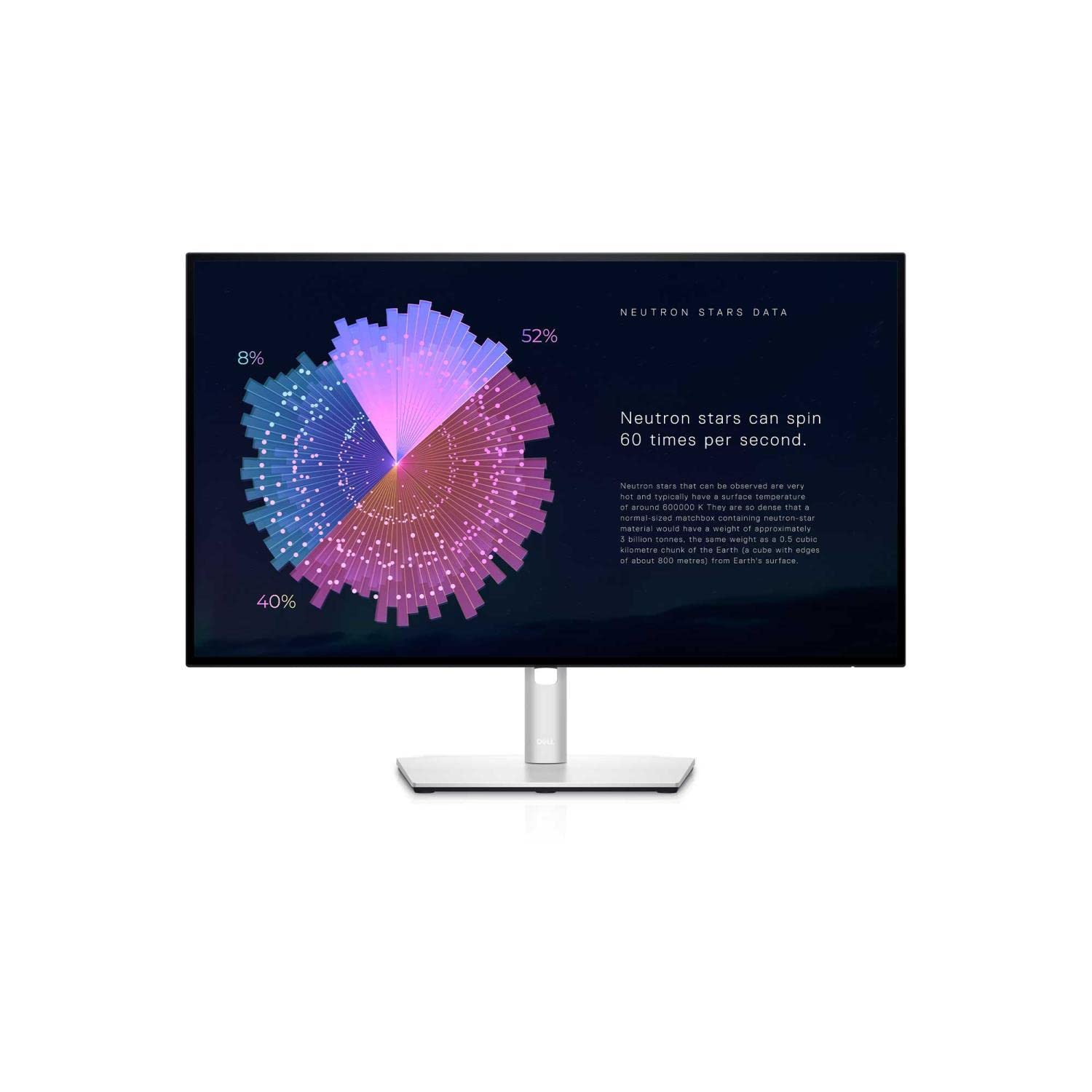
Support for Dell U2719D | Overview | Dell Australia
Support for Dell U2719D | Overview | Dell Australia
in 2 offers
last seen 29 Oct 2026
The lowest price we last saw for Dell UltraSharp U2719D 27" QHD IPS Monitor was $881.64 at Snapklik AU, compared across 2 retailers (last seen 29 Oct 2026). Prices may have changed since.
The all-time low we recorded was $138.15 on 16 Dec 2024.
Prices last updated 29 Oct 2026.
Dell UltraSharp U2719D 27" QHD IPS Monitor
Support for Dell U2719D | Overview | Dell Australia
Support for Dell U2719D | Overview | Dell Australia

