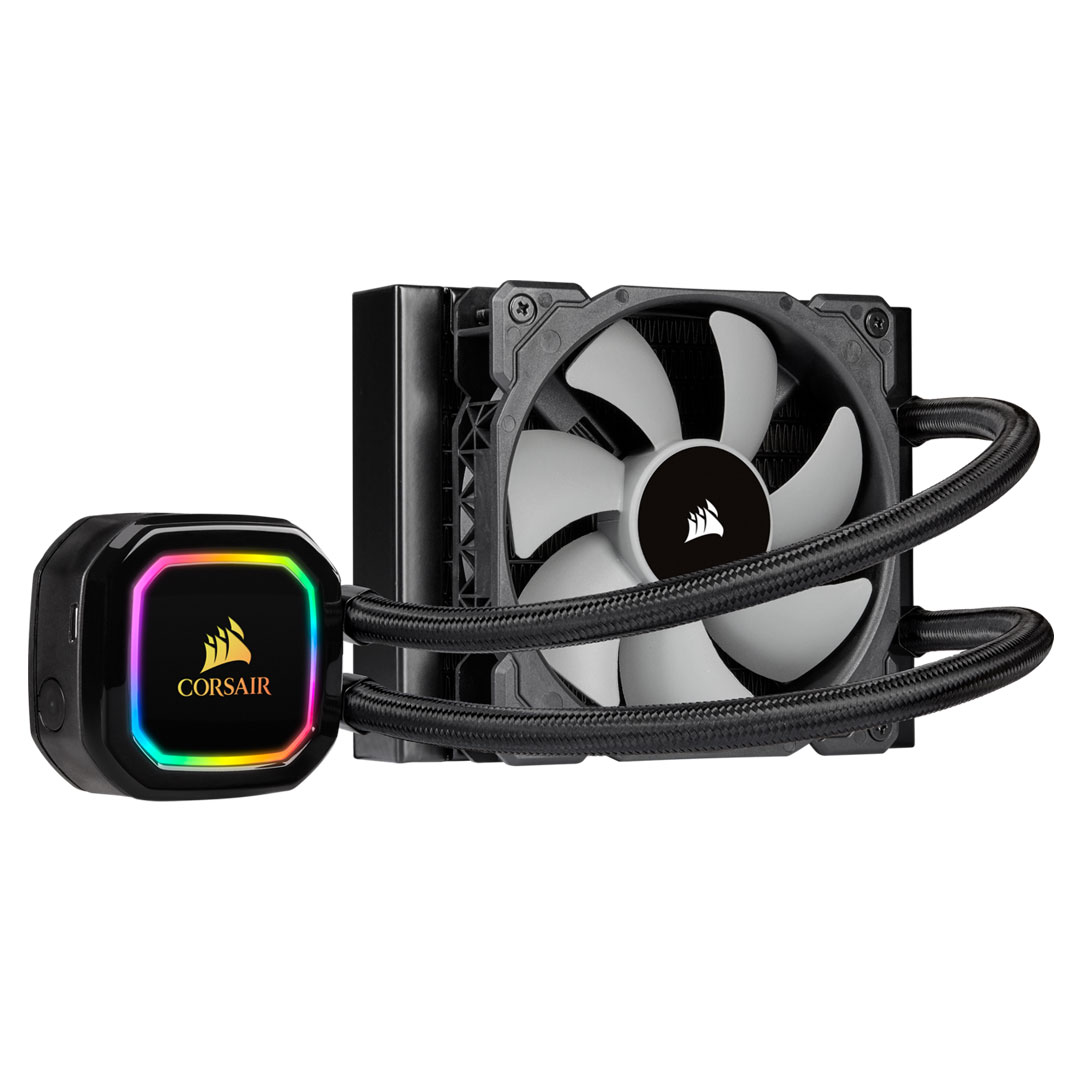
Two 140mm CORSAIR ML Series magnetic levitation PWM fans deliver improved airflow for extreme CPU cooling performance. 16 Individually addressable RGB LEDs light up the pump head to produce stunning, customizable lighting effects to match your build. Experience incredible cooling performance, with each fan running from 400 to 2,000 RPM while in operation. Zero RPM cooling profiles in CORSAIR iCUE software allow fans to stop entirely at low temperatures, eliminating fan noise. CORSAIR iCUE software allows you to control and synchronize your cooler’s RGB lighting with all iCUE compatible devices, monitor CPU and coolant temperatures and adjust fan and pump speeds, all from a single intuitive interface. Equipped with a thermally optimized cold plate and low-noise pump design for high performance, quiet cooling. A 280mm radiator with an expanded radiator core delivers high cooling surface area and performance. Modular, tool-free mounting bracket for quick and painless installation.
Two 140mm CORSAIR ML Series magnetic levitation PWM fans deliver improved airflow for extreme CPU cooling performance. 16 Individually addressable RGB LEDs light up the pump head to produce stunning, customizable lighting effects to match your build. Experience incredible cooling performance, with each fan running from 400 to 2,000 RPM while in operation. Zero RPM cooling profiles in CORSAIR iCUE software allow fans to stop entirely at low temperatures, eliminating fan noise. CORSAIR iCUE software allows you to control and synchronize your cooler’s RGB lighting with all iCUE compatible devices, monitor CPU and coolant temperatures and adjust fan and pump speeds, all from a single intuitive interface. Equipped with a thermally optimized cold plate and low-noise pump design for high performance, quiet cooling. A 280mm radiator with an expanded radiator core delivers high cooling surface area and performance. Modular, tool-free mounting bracket for quick and painless installation.
in 1 offers
The lowest price for Corsair iCUE H115i RGB Pro XT 280mm Liquid CPU Cooler right now is $86.42 at eBay.com.au.
The all-time low was $77.27 on 8 Aug 2024 — today's price is 12% above the lowest ever. That's a little above the best price we've seen.
Prices last updated 28 Sept 2026.
Corsair iCUE H115i RGB Pro XT 280mm Liquid CPU Cooler
Two 140mm CORSAIR ML Series magnetic levitation PWM fans deliver improved airflow for extreme CPU cooling performance. 16 Individually addressable RGB LEDs light up the pump head to produce stunning, customizable lighting effects to match your build. Experience incredible cooling performance, with each fan running from 400 to 2,000 RPM while in operation. Zero RPM cooling profiles in CORSAIR iCUE software allow fans to stop entirely at low temperatures, eliminating fan noise. CORSAIR iCUE software allows you to control and synchronize your cooler’s RGB lighting with all iCUE compatible devices, monitor CPU and coolant temperatures and adjust fan and pump speeds, all from a single intuitive interface. Equipped with a thermally optimized cold plate and low-noise pump design for high performance, quiet cooling. A 280mm radiator with an expanded radiator core delivers high cooling surface area and performance. Modular, tool-free mounting bracket for quick and painless installation.
Two 140mm CORSAIR ML Series magnetic levitation PWM fans deliver improved airflow for extreme CPU cooling performance. 16 Individually addressable RGB LEDs light up the pump head to produce stunning, customizable lighting effects to match your build. Experience incredible cooling performance, with each fan running from 400 to 2,000 RPM while in operation. Zero RPM cooling profiles in CORSAIR iCUE software allow fans to stop entirely at low temperatures, eliminating fan noise. CORSAIR iCUE software allows you to control and synchronize your cooler’s RGB lighting with all iCUE compatible devices, monitor CPU and coolant temperatures and adjust fan and pump speeds, all from a single intuitive interface. Equipped with a thermally optimized cold plate and low-noise pump design for high performance, quiet cooling. A 280mm radiator with an expanded radiator core delivers high cooling surface area and performance. Modular, tool-free mounting bracket for quick and painless installation.
Last updated at 28/09/2026 12:46:57
For Cw-9060044-ww Corsair H115i Rgb Pro Xt 280mm Cooler;lga1700
Delivery $18.77
Affiliate Disclosure: We may receive a small commission for purchases made through this link at no extra cost to you. This helps support our site. Thank you!
originally posted on pbtech.co.nz
I purchased the Corsair iCUE H115i to replace my existing Corsair H115i that had worked flawlessly until the pump impeller failed after 6.5 years (the warranty is 5 years)The original H115i was a fantastic unit and kept the CPU temps of the i7-6700k it cooled well always under control for its life with temp never above 55 Deg cThe build quality of this new version of the H115i is quite different and not as well finished at the original. The water pipes are a smaller diameter and the finish of the radiator far cheaper looking.Functionality its perfect and as soon as I installed it the CPU temps at idle are low 20’sI stress tested the setup by overclocking the i7-6700k 4.5 Ghz and running real temp with prime 95, Temps maxed out at 48 - 51 Deg CSuper happy with ... MoreI purchased the Corsair iCUE H115i to replace my existing Corsair H115i that had worked flawlessly until the pump impeller failed after 6.5 years (the warranty is 5 years)The original H115i was a fantastic unit and kept the CPU temps of the i7-6700k it cooled well always under control for its life with temp never above 55 Deg cThe build quality of this new version of the H115i is quite different and not as well finished at the original. The water pipes are a smaller diameter and the finish of the radiator far cheaper looking.Functionality its perfect and as soon as I installed it the CPU temps at idle are low 20’sI stress tested the setup by overclocking the i7-6700k 4.5 Ghz and running real temp with prime 95, Temps maxed out at 48 - 51 Deg CSuper happy with the performance of the H115i and highly recommend.Will most probably put one in my next build which is due
originally posted on pbtech.co.nz
first and foremost the advertised temps of 65 C under load are false.my 3900x tops out at around 71 -72 C, and that's after i replaced the pre-applied thermal solution,prior to that i saw no improvement over the Coolermaster 240 aio i bought this to replace that sat around 76 - 80 C.Second despite this arguably being an enthusiast targeted product, where ideally the customer would have a decent mobo already, with many fan headers.This unit makes u plug the fans straight into the pump meaning the mobo is not controlling the fans. this solution is only really necessary if you have a basic mobo with limited fan headers.but even then a pwm splitter unit would be preferable.the other negative of this is that it makes cable management a nuisance.thirdly this ... Morefirst and foremost the advertised temps of 65 C under load are false.my 3900x tops out at around 71 -72 C, and that's after i replaced the pre-applied thermal solution,prior to that i saw no improvement over the Coolermaster 240 aio i bought this to replace that sat around 76 - 80 C.Second despite this arguably being an enthusiast targeted product, where ideally the customer would have a decent mobo already, with many fan headers.This unit makes u plug the fans straight into the pump meaning the mobo is not controlling the fans. this solution is only really necessary if you have a basic mobo with limited fan headers.but even then a pwm splitter unit would be preferable.the other negative of this is that it makes cable management a nuisance.thirdly this piece of hardware is entirely dependent on some bloatware software called corsair icue to manage anything from pump and fan rpm, to rgb color settings.not only does this mean requiring yet another unnecessary cable from the pump this time to a usb 2.0 header which isn't long enough for appropriate management either.but utilization of cpu threads and resources that simply aren't needed, 3% of my 12 cores and 24 threads should not be needed to cool the chip in the first place.and of course as mentioned above the thermal compound comes pre applied, a small tube of anything is preferable to this and the applied compound is of bad quality.the only good thing about this unit is the provided fans which are excellent.the provided ml140 premiums are an excellent fan for any rad.I recommend any other brand aio over this.I was thoroughly disappointed by this product, compared to the cooler master which i had the cooler master was the better designed product.Had I been able to buy a cooler master 280 or 360 that isn't the TR4 model, this would have been a preference.the asetek equivalents are probably better.Only recommend this unit and series if u can get them HEAVILY discounted.
originally posted on box.co.uk
Pros: This thing looks incredible, it works brilliantly once you figure out the iCUE app and come with everything you need for any install.Cons: The instructions were a little vague in places. Specifically as I was trying to fit it to my Corsair 220t tower and it didn't fit at the top. I then had to Google as to whether I could side/bottom mount the radiator. There should be recommendations in the instruction book.
| General | |
| Product Type | Processor liquid cooling system |
| Width | 14 cm |
| Depth | 32 cm |
| Height | 3 cm |
For Cw-9060044-ww Corsair H115i Rgb Pro Xt 280mm Cooler;lga1700
Delivery $18.77
Affiliate Disclosure: We may receive a small commission for purchases made through this link at no extra cost to you. This helps support our site. Thank you!
I purchased the Corsair iCUE H115i to replace my existing Corsair H115i that had worked flawlessly until the pump impeller failed after 6.5 years (the warranty is 5 years)The original H115i was a fantastic unit and kept the CPU temps of the i7-6700k it cooled well always under control for its life with temp never above 55 Deg cThe build quality of this new version of the H115i is quite different and not as well finished at the original. The water pipes are a smaller diameter and the finish of the radiator far cheaper looking.Functionality its perfect and as soon as I installed it the CPU temps at idle are low 20’sI stress tested the setup by overclocking the i7-6700k 4.5 Ghz and running real temp with prime 95, Temps maxed out at 48 - 51 Deg CSuper happy with ... MoreI purchased the Corsair iCUE H115i to replace my existing Corsair H115i that had worked flawlessly until the pump impeller failed after 6.5 years (the warranty is 5 years)The original H115i was a fantastic unit and kept the CPU temps of the i7-6700k it cooled well always under control for its life with temp never above 55 Deg cThe build quality of this new version of the H115i is quite different and not as well finished at the original. The water pipes are a smaller diameter and the finish of the radiator far cheaper looking.Functionality its perfect and as soon as I installed it the CPU temps at idle are low 20’sI stress tested the setup by overclocking the i7-6700k 4.5 Ghz and running real temp with prime 95, Temps maxed out at 48 - 51 Deg CSuper happy with the performance of the H115i and highly recommend.Will most probably put one in my next build which is due
first and foremost the advertised temps of 65 C under load are false.my 3900x tops out at around 71 -72 C, and that's after i replaced the pre-applied thermal solution,prior to that i saw no improvement over the Coolermaster 240 aio i bought this to replace that sat around 76 - 80 C.Second despite this arguably being an enthusiast targeted product, where ideally the customer would have a decent mobo already, with many fan headers.This unit makes u plug the fans straight into the pump meaning the mobo is not controlling the fans. this solution is only really necessary if you have a basic mobo with limited fan headers.but even then a pwm splitter unit would be preferable.the other negative of this is that it makes cable management a nuisance.thirdly this ... Morefirst and foremost the advertised temps of 65 C under load are false.my 3900x tops out at around 71 -72 C, and that's after i replaced the pre-applied thermal solution,prior to that i saw no improvement over the Coolermaster 240 aio i bought this to replace that sat around 76 - 80 C.Second despite this arguably being an enthusiast targeted product, where ideally the customer would have a decent mobo already, with many fan headers.This unit makes u plug the fans straight into the pump meaning the mobo is not controlling the fans. this solution is only really necessary if you have a basic mobo with limited fan headers.but even then a pwm splitter unit would be preferable.the other negative of this is that it makes cable management a nuisance.thirdly this piece of hardware is entirely dependent on some bloatware software called corsair icue to manage anything from pump and fan rpm, to rgb color settings.not only does this mean requiring yet another unnecessary cable from the pump this time to a usb 2.0 header which isn't long enough for appropriate management either.but utilization of cpu threads and resources that simply aren't needed, 3% of my 12 cores and 24 threads should not be needed to cool the chip in the first place.and of course as mentioned above the thermal compound comes pre applied, a small tube of anything is preferable to this and the applied compound is of bad quality.the only good thing about this unit is the provided fans which are excellent.the provided ml140 premiums are an excellent fan for any rad.I recommend any other brand aio over this.I was thoroughly disappointed by this product, compared to the cooler master which i had the cooler master was the better designed product.Had I been able to buy a cooler master 280 or 360 that isn't the TR4 model, this would have been a preference.the asetek equivalents are probably better.Only recommend this unit and series if u can get them HEAVILY discounted.
Pros: This thing looks incredible, it works brilliantly once you figure out the iCUE app and come with everything you need for any install.Cons: The instructions were a little vague in places. Specifically as I was trying to fit it to my Corsair 220t tower and it didn't fit at the top. I then had to Google as to whether I could side/bottom mount the radiator. There should be recommendations in the instruction book.
Last fall, I upgraded from an AMD Phenom to the Ryzen 5-3600. At the time, I reused my Rosewill Challenger case. With the included Wraith cooler and no overclocking, the CPU temp idled at 52C. So, I reused an old Zalman 9600 cooler. That brought the temps down into the 40's, but all the fans sounded like a DC-3 at takeoff. I knew I had to move to water cooling, but the Challenger case had no room. Moving to the Corsair H115i meant a new case. I picked the Phanteks Enthoo Pro; this cooler integrated flawlessly into that case. The quest for better cooling and much lower noise led me to this packaging upgrade. From a roar to a whisper. I happily recommend this cooler. Follow up comment (added 02JAN2021). First, good riddance to 2020! I just relocated, a move of about ... MoreLast fall, I upgraded from an AMD Phenom to the Ryzen 5-3600. At the time, I reused my Rosewill Challenger case. With the included Wraith cooler and no overclocking, the CPU temp idled at 52C. So, I reused an old Zalman 9600 cooler. That brought the temps down into the 40's, but all the fans sounded like a DC-3 at takeoff. I knew I had to move to water cooling, but the Challenger case had no room. Moving to the Corsair H115i meant a new case. I picked the Phanteks Enthoo Pro; this cooler integrated flawlessly into that case. The quest for better cooling and much lower noise led me to this packaging upgrade. From a roar to a whisper. I happily recommend this cooler. Follow up comment (added 02JAN2021). First, good riddance to 2020! I just relocated, a move of about 500 miles. My rig was packed on the moving van and sort-of packed in the original case box. Everything arrived intact. I say this as some reviewers have had issues with the physical mounting of the pump block. I used the supplied Corsair mounting for my AMD Socket AM4 chip. It is perfectly in place and doing a commendable job keeping the CPU cool, No mounting issues here. Happy New Year!
My CPU temperature dropped from almost 100 °C on my old water cooler to 55 °C at maximum load with this cooler and the overclocked i9-9900K. Both the fans and pump are quiet even when the CPU has maximum load. The only thing I dislike about it are the RGB colors on the cooler. It also took up a bit more space than I had thought, so I couldn't mount the fans on top of my case. Had to mount it on the front instead, which worked perfectly.
First things first, the cooler out of the box performs quite well and I get great temperatures. No issue there.Problems:The fan connectors from the pump don’t seem to be very compatible with other fans. I tried to replace the stock fans with some noctua pwm fans, and they did not function properly, and did not turn on with the fans set to about 80% or less. I was forced to use the stock fans, for no reason seemingly.Second issue, even though it came in flawless and new packaging, upon unboxing I noticed the radiator had many bent fins, I expect due to poor packaging. I managed to somewhat bend it into proper shape, but I had to dock another star for that.Overall, I’m not unhappy with the purchase but I couldn’t in good conscience give a great rating. Some ... MoreFirst things first, the cooler out of the box performs quite well and I get great temperatures. No issue there.Problems:The fan connectors from the pump don’t seem to be very compatible with other fans. I tried to replace the stock fans with some noctua pwm fans, and they did not function properly, and did not turn on with the fans set to about 80% or less. I was forced to use the stock fans, for no reason seemingly.Second issue, even though it came in flawless and new packaging, upon unboxing I noticed the radiator had many bent fins, I expect due to poor packaging. I managed to somewhat bend it into proper shape, but I had to dock another star for that.Overall, I’m not unhappy with the purchase but I couldn’t in good conscience give a great rating. Some fairly glaring issues when you’re buying a premium product.
I can hardly hear this AIO, I also think the amount of screws and accessories that are included is cool. If the original fans is too loud for you or if you would like RGB, you can unscrew and replace it without any problems. I have a Corsair HD120 RGB fan on it, for example. With the appropriate speed control, it keeps the processor nice and cool.
I purchased this AIO, because I didn’t want a bunch of bling and wanted to lower my system temperature on the Ryzen 3800x. It had good reviews. It was also on sale. I would recommend connecting the fans to the CPU Fan, Optional CPU Fan Headers and the pump tach to the AIO Pump Header. This allowed me to control the fans via the motherboard and control the pump through the Corsair software. I tried recommended setup and my current setup and I personally feel I had better results using the motherboard for control. I easily dropped 10-15C over stock CPU Cooler. I have the Pump set in Balanced and the Fans on Turbo and my system is very quiet. Even at full speed the system noise is acceptable. Not too loud atleast in my setup. My Setup Lian Li 215 ASUS X570 TUF Gaming ... MoreI purchased this AIO, because I didn’t want a bunch of bling and wanted to lower my system temperature on the Ryzen 3800x. It had good reviews. It was also on sale. I would recommend connecting the fans to the CPU Fan, Optional CPU Fan Headers and the pump tach to the AIO Pump Header. This allowed me to control the fans via the motherboard and control the pump through the Corsair software. I tried recommended setup and my current setup and I personally feel I had better results using the motherboard for control. I easily dropped 10-15C over stock CPU Cooler. I have the Pump set in Balanced and the Fans on Turbo and my system is very quiet. Even at full speed the system noise is acceptable. Not too loud atleast in my setup. My Setup Lian Li 215 ASUS X570 TUF Gaming Plus Wi-Fi Ryzen 3800X Gigabyte 5700XT Corsair H115i Pro XT 32gb DDR4 3600 G Skill Neo Ram 1TB Western Digital Black SN850 750W Gold Seasonic Focus GX
So far I love this cooler. It's quiet and performs amazing at the same time. This was my first aio installation so it took me about an hour and half to install but most of it was taking the old cooler out and cleaning the processor. I'm using the corsair 4000d case and top mounted it. Those having trouble top mounting it, 1 you have to use low profile ram while I was already doing so no issue there for me, 2nd the fans I uses that didn't come with the cooler so they may have fit otherwise but with my mobo asus b-550f the left fan was hitting the back panel shroud so I trimmed the corner of the fan to mount it correctly. Once it was mounted putting on the pump was easy. I use the 5800x and at stock settings no oc it idles at 32ish and 60ish during gaming. The stress ... MoreSo far I love this cooler. It's quiet and performs amazing at the same time. This was my first aio installation so it took me about an hour and half to install but most of it was taking the old cooler out and cleaning the processor. I'm using the corsair 4000d case and top mounted it. Those having trouble top mounting it, 1 you have to use low profile ram while I was already doing so no issue there for me, 2nd the fans I uses that didn't come with the cooler so they may have fit otherwise but with my mobo asus b-550f the left fan was hitting the back panel shroud so I trimmed the corner of the fan to mount it correctly. Once it was mounted putting on the pump was easy. I use the 5800x and at stock settings no oc it idles at 32ish and 60ish during gaming. The stress test on amd master it only went to 69. The whole time I could barely hear it. During gaming it's quiet my graphics card gets louder then this thing(3070) overall i will buy this again
My cpu (amd ryzen 7 3700x) was constantly up in the high 70s-80s with the included Wraith Prism cpu cooler so naturally my choices were to get a better aftermarket cooler like Noctua or an AIO to cool my cpu during gaming sessions.Night and day difference.My cpu runs at high 40s to high 60s on average now with all my games on max settings at 1080p. Some games scale up to 4k like Warzone and Destiny 2 but this thing keeps up.On my spouses rig, I ran the NZXT one to keep her case and parts matched up. Hers stays a lot cooler high 30s to 40s. Might be because of the Intel chip. I put a 10700k in her pc with same case. Maybe the NZXT one runs cooler thermals or maybe NZXT was the more superior unit. Can't tell because I'm not testing thermals for that same cooler ... MoreMy cpu (amd ryzen 7 3700x) was constantly up in the high 70s-80s with the included Wraith Prism cpu cooler so naturally my choices were to get a better aftermarket cooler like Noctua or an AIO to cool my cpu during gaming sessions.Night and day difference.My cpu runs at high 40s to high 60s on average now with all my games on max settings at 1080p. Some games scale up to 4k like Warzone and Destiny 2 but this thing keeps up.On my spouses rig, I ran the NZXT one to keep her case and parts matched up. Hers stays a lot cooler high 30s to 40s. Might be because of the Intel chip. I put a 10700k in her pc with same case. Maybe the NZXT one runs cooler thermals or maybe NZXT was the more superior unit. Can't tell because I'm not testing thermals for that same cooler on my setup. Too lazy to rip off my corsair one to test the nzxt one. Both are 280mm rads.
| General | |
| Product Type | Processor liquid cooling system |
| Width | 14 cm |
| Depth | 32 cm |
| Height | 3 cm |