Alienware AW720M Mouse Ambidextrous RF Wireless + Bluetooth Optical 26000 DPI
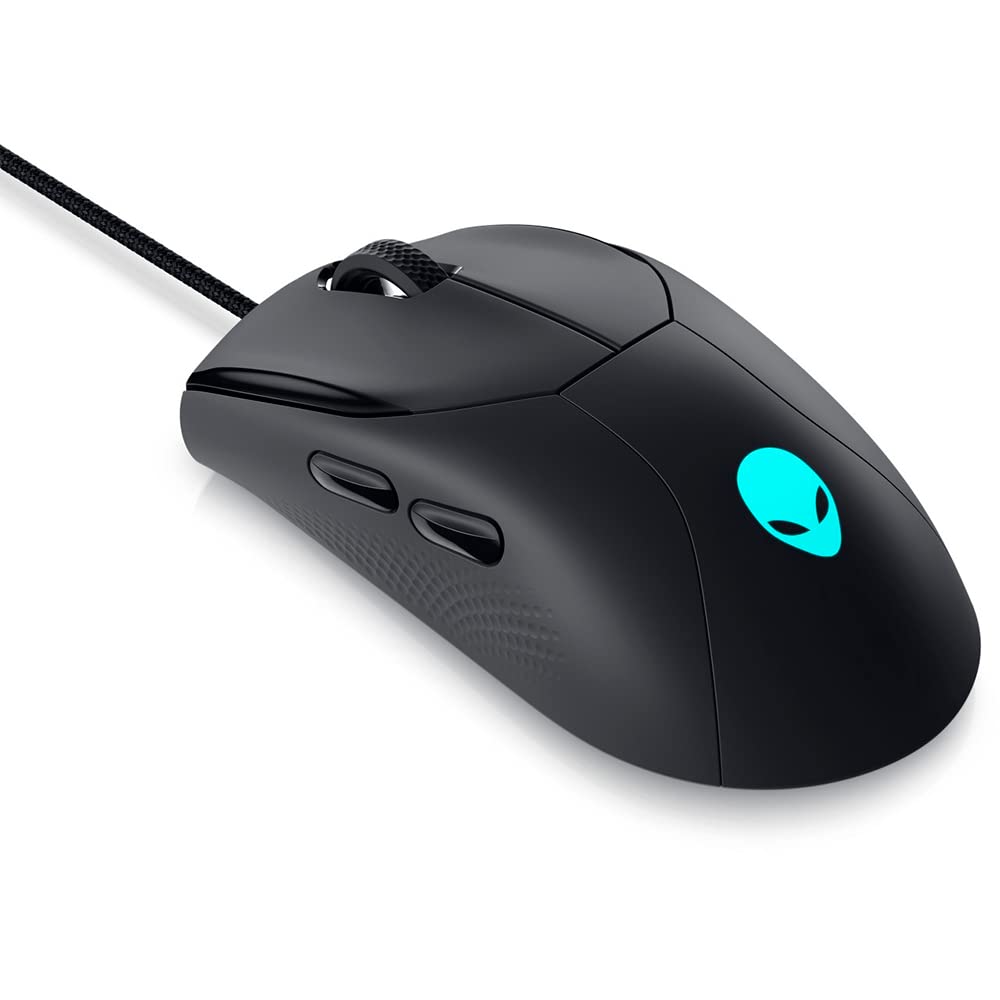
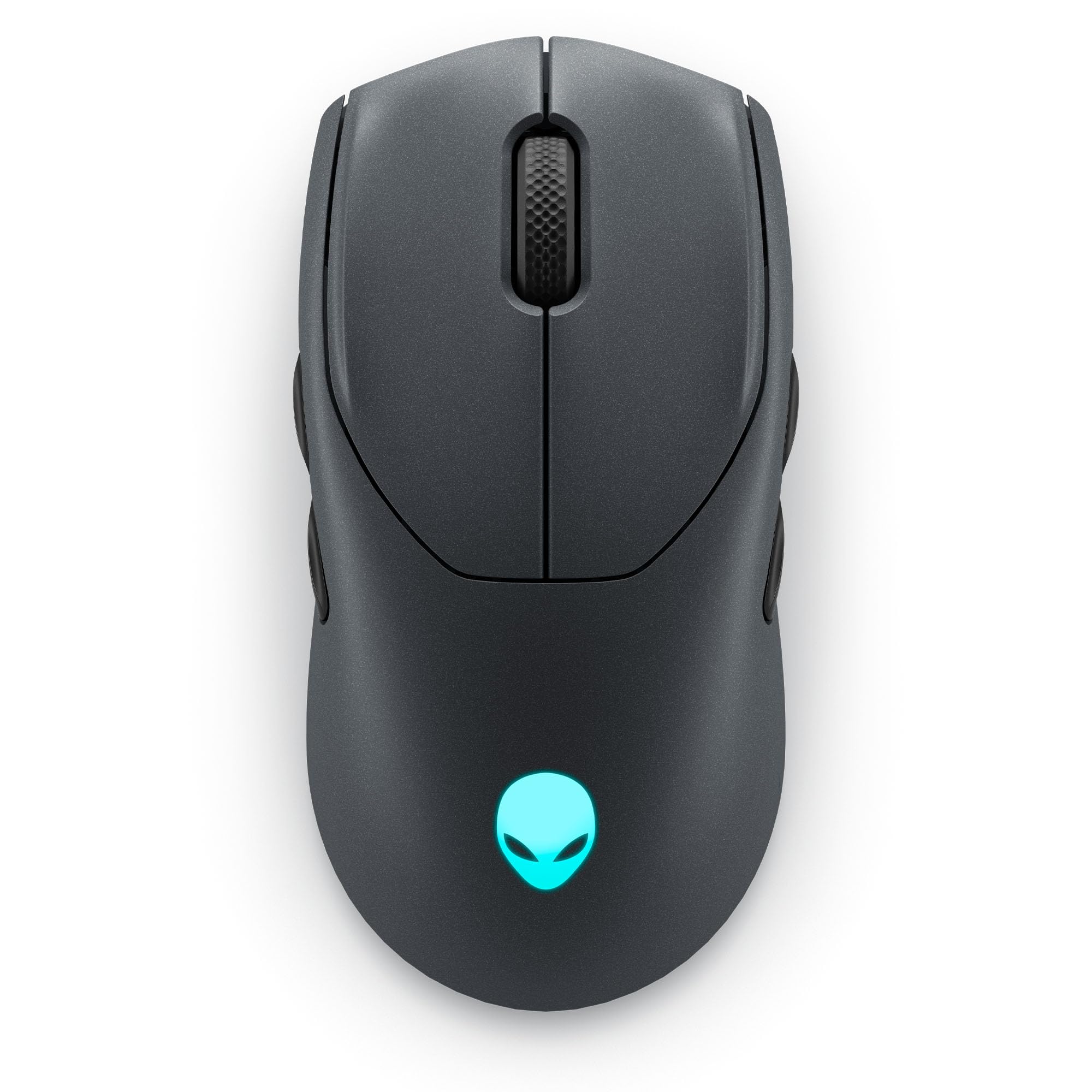
Dominate the battlefield with the Alienware AW720M Tri-Mode Wireless Gaming Ambidextrous Mouse in stunning Lunar Light. Designed for competition, this gaming mouse features an impressive maximum sensitivity of 26,000 DPI, ensuring precision tracking that keeps you ahead in every game. The slim design is not only aesthetically pleasing but also comfortable for extended gaming sessions, accommodating both left and right-handed users. Enjoy the freedom of wireless connectivity with a maximum range of 32.8 feet, using either Bluetooth or a low-latency 2.4 GHz connection. With 8 programmable buttons, you can customize your gameplay experience to match your individual style. The mouse is equipped with a convenient on/off switch and comes with a battery, providing excellent performance without the hassle of frequent recharging. Instead, utilize the magnetic-snap fast-charging feature for quick power-ups, keeping you in the action without long interruptions. The RGB lighting adds an extra flair to your gaming setup, complimenting the sleek white color scheme.
Dominate the battlefield with the Alienware AW720M Tri-Mode Wireless Gaming Ambidextrous Mouse in stunning Lunar Light. Designed for competition, this gaming mouse features an impressive maximum sensitivity of 26,000 DPI, ensuring precision tracking that keeps you ahead in every game. The slim design is not only aesthetically pleasing but also comfortable for extended gaming sessions, accommodating both left and right-handed users. Enjoy the freedom of wireless connectivity with a maximum range of 32.8 feet, using either Bluetooth or a low-latency 2.4 GHz connection. With 8 programmable buttons, you can customize your gameplay experience to match your individual style. The mouse is equipped with a convenient on/off switch and comes with a battery, providing excellent performance without the hassle of frequent recharging. Instead, utilize the magnetic-snap fast-charging feature for quick power-ups, keeping you in the action without long interruptions. The RGB lighting adds an extra flair to your gaming setup, complimenting the sleek white color scheme.
Dominate the battlefield with the Alienware AW720M Tri-Mode Wireless Gaming Ambidextrous Mouse in stunning Lunar Light. Designed for competition, this gaming mouse features an impressive maximum sensitivity of 26,000 DPI, ensuring precision tracking that keeps you ahead in every game. The slim design is not only aesthetically pleasing but also comfortable for extended gaming sessions, accommodating both left and right-handed users. Enjoy the freedom of wireless connectivity with a maximum range of 32.8 feet, using either Bluetooth or a low-latency 2.4 GHz connection. With 8 programmable buttons, you can customize your gameplay experience to match your individual style. The mouse is equipped with a convenient on/off switch and comes with a battery, providing excellent performance without the hassle of frequent recharging. Instead, utilize the magnetic-snap fast-charging feature for quick power-ups, keeping you in the action without long interruptions. The RGB lighting adds an extra flair to your gaming setup, complimenting the sleek white color scheme.
Dominate the battlefield with the Alienware AW720M Tri-Mode Wireless Gaming Ambidextrous Mouse in stunning Lunar Light. Designed for competition, this gaming mouse features an impressive maximum sensitivity of 26,000 DPI, ensuring precision tracking that keeps you ahead in every game. The slim design is not only aesthetically pleasing but also comfortable for extended gaming sessions, accommodating both left and right-handed users. Enjoy the freedom of wireless connectivity with a maximum range of 32.8 feet, using either Bluetooth or a low-latency 2.4 GHz connection. With 8 programmable buttons, you can customize your gameplay experience to match your individual style. The mouse is equipped with a convenient on/off switch and comes with a battery, providing excellent performance without the hassle of frequent recharging. Instead, utilize the magnetic-snap fast-charging feature for quick power-ups, keeping you in the action without long interruptions. The RGB lighting adds an extra flair to your gaming setup, complimenting the sleek white color scheme.
in 4 offers
The lowest price for Alienware AW720M Mouse Ambidextrous RF Wireless + Bluetooth Optical 26000 DPI right now is $151.99 at Techinn.com, compared across 4 retailers.
The all-time low was $88.00 on 16 Jan 2024 — today's price is 73% above the lowest ever. It has been notably cheaper before — worth setting a price alert.
Prices last updated 9 Sept 2026.
Last updated at 09/09/2026 21:05:41
Alienware Tri-Mode Wireless Gaming Mouse - AW720M Dark Side of the Moon (Dark Gray) Bluetooth 8 Button Optical Sensor Polling Rate 1KHz 26000DPI (5
Affiliate Disclosure: We may receive a small commission for purchases made through this link at no extra cost to you. This helps support our site. Thank you!
Dell Alienware Trimode Aw720m Wireless Gaming Mouse Black
Delivery $19.49
Dell Alienware AW720M mouse Ambidextrous RF Wireless + Bluetooth Optical 26000 DPI
Free delivery
Dell Alienware Tri-Mode AW720M Wireless Gaming Mouse, Optical Sensor, 8 Configurable Buttons, Fast-Charging, White
Delivery between 14–18 Sept $35.88
originally posted on dell.com
Alienware has perfected the gaming mouse. I own almost all their previous gaming mice. The Alienware Tri-Mode Wireless Gaming Mouse AW720M is by far the best traditional gaming mouse compared to other Alienware mouse.Their previous design's were a bit awkward with either the half or whole 'winged' back towards the rear of the mouse & is considered to be on the 'very' heavy side.The Alienware Tri-Mode Wireless Gaming Mouse AW720M feels so much better when playing games. Its lightweight design along with its long lasting battery life makes this mouse a true & more serious competitor against other gaming mice companies.Things I LOVE about this mouse:• Long lasting battery• Magnetic battery charger• Total of 4 physical customizable buttons on each side (2 left ... MoreAlienware has perfected the gaming mouse. I own almost all their previous gaming mice. The Alienware Tri-Mode Wireless Gaming Mouse AW720M is by far the best traditional gaming mouse compared to other Alienware mouse.Their previous design's were a bit awkward with either the half or whole 'winged' back towards the rear of the mouse & is considered to be on the 'very' heavy side.The Alienware Tri-Mode Wireless Gaming Mouse AW720M feels so much better when playing games. Its lightweight design along with its long lasting battery life makes this mouse a true & more serious competitor against other gaming mice companies.Things I LOVE about this mouse:• Long lasting battery• Magnetic battery charger• Total of 4 physical customizable buttons on each side (2 left side & 2 right side) of the mousePet peeves:• When the mouse needs to be charged and using the magnetic component which is wired, it tends to pop off a little too easilyOverall, I am extremely with this mouse. This is my 'go to' mouse for everything from personal use in addition to gaming.Great job on this mouse Alienware! Job well done! Thank you!
originally posted on bestbuy.com
Great gaming mouse, came very well packed and all its accessories in a nice little plastic box inside the main box. Included was also a large and very soft USB cable, braided, kind of in a fabric material (USB type C to A). It took a little to figure out how to use it as it has some nice accessories in the above mentioned plastic box (a little wireless dongle, and magnetic charging adapter to type C usb and a Y type adapter 2-1). The way you do, is use the Y adapter to plug the wireless 2.4 Ghz receiver and the large USB cable on one end, then on the other end there will be some magnets, which easily attach to the little magnetic type C USB male adapter that goes on the mouse. So any time you want to charge it, you just clip that magnetic adapter to the Y one and it ... MoreGreat gaming mouse, came very well packed and all its accessories in a nice little plastic box inside the main box. Included was also a large and very soft USB cable, braided, kind of in a fabric material (USB type C to A). It took a little to figure out how to use it as it has some nice accessories in the above mentioned plastic box (a little wireless dongle, and magnetic charging adapter to type C usb and a Y type adapter 2-1). The way you do, is use the Y adapter to plug the wireless 2.4 Ghz receiver and the large USB cable on one end, then on the other end there will be some magnets, which easily attach to the little magnetic type C USB male adapter that goes on the mouse. So any time you want to charge it, you just clip that magnetic adapter to the Y one and it will start charging the mouse. First time I see this concoction, but its effective and fast for when you want to charge the mouse. Now, the mouse has 4 side buttons (two on each side) positioned symmetrically plus the main two ones (very clicky and sturdy feel), these are symmetrical to, so because of this, it can be considered an ambidextrous mouse (great for people that are lefties). There is an "alien" RGB logo around the area of the palm and it's not that large or on your face (if RGB lighting bothers you, but is fine for me). The mouse is super responsive and accurate (26000 DPI!!) and you can download Alienware's command center to further customize it. The main buttons feel super sturdy and a great tactile clicky feel (almost like a mechanical keyboard switch), maybe it's me that feels them that way, because my previous mouse was so mushy. The mouse wheel feels great too and very responsive. I can't say its made me a better gamer, but I can really feel when I'm clicking it and has never failed me. I highly recommend this mouse, and specially if you are a leftie and looking for a good mouse (I know most mouses are designed for right handed peeps, but this one is for both, not an easy find!).
originally posted on dell.com
I've been using wired mice since the 90s. I didn't have any intention of changing my ways, but after collecting a good chunk of credits in the Dell store, I took the dive.Removing the AW720m from its packaging, I quickly noticed how loose the right mouse button felt as if it was just hanging there. Quiet strange since it was very secure in its box. It is not a big deal, but it does feel odd in combination of the stiffer better feeling left mouse button.Also in the box is a collection of cables and pieces. You have a USB C cable and an adapter to plug in its 2.4GHZ Wi-Fi dongle and charge your mouse via magnetic connection. It is quite iffy if you plan on using the mouse like this. If you want a wired experience, I highly recommend forgoing the adapter all ... MoreI've been using wired mice since the 90s. I didn't have any intention of changing my ways, but after collecting a good chunk of credits in the Dell store, I took the dive.Removing the AW720m from its packaging, I quickly noticed how loose the right mouse button felt as if it was just hanging there. Quiet strange since it was very secure in its box. It is not a big deal, but it does feel odd in combination of the stiffer better feeling left mouse button.Also in the box is a collection of cables and pieces. You have a USB C cable and an adapter to plug in its 2.4GHZ Wi-Fi dongle and charge your mouse via magnetic connection. It is quite iffy if you plan on using the mouse like this. If you want a wired experience, I highly recommend forgoing the adapter all together and plugging the USB C directly into the mouse.The most important thing about a mouse for me is its comfort. I have no complaints here. It feels very similar to a non-gaming office mouse, but is slightly longer than those that I own for a more flush grip to your palm. The extra function buttons to the left are easy to get to and offer a satisfying click as well. Those found on the right side of the device I disabled as I'm more prone to accidently click them.What tempted me to write this review was how little the input delay is when using its wifi dongle. As someone that has used a direct wired connection all his life, I feel right at home with the responsiveness it offers. It completely upended all my past experience when using a wireless device. With the micro-movements and quick flicks you make with a mouse, it is always by far the most noticeable device when faced with too much input delay. After unplugging my old mouse and substituting it for the AW720m, I was frankly amazed by how seamless the adjustment was.The battery life is incredible as well. I've been heavily using it all week and it is still at 73% charge. I don't have exact data, but out of curiosity, I plugged in the magnetic charge adapter and it quickly reached a full charge. It is convenient enough to have such a long battery life, yet with that snapping magnetic charger, it removes even more minor inconveniences for a premium feeling experience.When it comes to the unique optical mouse left/right main button switches, I didn't notice much of a difference in comparison old spring loaded designs. It does bounce back up faster, but with my right mouse button being so loose, I actually perform worse in FPS games. In my case, I have a slightly defective unit that I can't be bothered to RMA, but even then, you are unlikely to become a Counter Strike pro due to these switches.I've been rambling on for some time and have no idea if Dell has a word limit for its reviews, so to wrap things up, the AW720m is a more than servicable mouse with two function keys on either side for useful macros or keybindings. I love how this gaming mouse forgoes the over-the-top flashiness for a sleek, subdued design. The star of the show is easly the amazing wireless tech. This was a spur of the moment purchase for me, and much to my surprise, that lag-free marketing claim we've seen on wireless products for decades is a truthful statement. I've planned to use this mouse for my laptop, but after a week of testing it, the AW720M is staying right here on my main PC.
| Mouse | |
| Buttons durability (million clicks) | 70 |
| Input device | |
| Bluetooth version | 5.1 |
| Number of scroll wheels | 1 |

Alienware Tri-Mode Wireless Gaming Mouse - AW720M Dark Side of the Moon (Dark Gray) Bluetooth 8 Button Optical Sensor Polling Rate 1KHz 26000DPI (5
Affiliate Disclosure: We may receive a small commission for purchases made through this link at no extra cost to you. This helps support our site. Thank you!
Dell Alienware Trimode Aw720m Wireless Gaming Mouse Black
Delivery $19.49
Dell Alienware AW720M mouse Ambidextrous RF Wireless + Bluetooth Optical 26000 DPI
Free delivery
Dell Alienware Tri-Mode AW720M Wireless Gaming Mouse, Optical Sensor, 8 Configurable Buttons, Fast-Charging, White
Delivery between 14–18 Sept $35.88
Alienware has perfected the gaming mouse. I own almost all their previous gaming mice. The Alienware Tri-Mode Wireless Gaming Mouse AW720M is by far the best traditional gaming mouse compared to other Alienware mouse.Their previous design's were a bit awkward with either the half or whole 'winged' back towards the rear of the mouse & is considered to be on the 'very' heavy side.The Alienware Tri-Mode Wireless Gaming Mouse AW720M feels so much better when playing games. Its lightweight design along with its long lasting battery life makes this mouse a true & more serious competitor against other gaming mice companies.Things I LOVE about this mouse:• Long lasting battery• Magnetic battery charger• Total of 4 physical customizable buttons on each side (2 left ... MoreAlienware has perfected the gaming mouse. I own almost all their previous gaming mice. The Alienware Tri-Mode Wireless Gaming Mouse AW720M is by far the best traditional gaming mouse compared to other Alienware mouse.Their previous design's were a bit awkward with either the half or whole 'winged' back towards the rear of the mouse & is considered to be on the 'very' heavy side.The Alienware Tri-Mode Wireless Gaming Mouse AW720M feels so much better when playing games. Its lightweight design along with its long lasting battery life makes this mouse a true & more serious competitor against other gaming mice companies.Things I LOVE about this mouse:• Long lasting battery• Magnetic battery charger• Total of 4 physical customizable buttons on each side (2 left side & 2 right side) of the mousePet peeves:• When the mouse needs to be charged and using the magnetic component which is wired, it tends to pop off a little too easilyOverall, I am extremely with this mouse. This is my 'go to' mouse for everything from personal use in addition to gaming.Great job on this mouse Alienware! Job well done! Thank you!
Great gaming mouse, came very well packed and all its accessories in a nice little plastic box inside the main box. Included was also a large and very soft USB cable, braided, kind of in a fabric material (USB type C to A). It took a little to figure out how to use it as it has some nice accessories in the above mentioned plastic box (a little wireless dongle, and magnetic charging adapter to type C usb and a Y type adapter 2-1). The way you do, is use the Y adapter to plug the wireless 2.4 Ghz receiver and the large USB cable on one end, then on the other end there will be some magnets, which easily attach to the little magnetic type C USB male adapter that goes on the mouse. So any time you want to charge it, you just clip that magnetic adapter to the Y one and it ... MoreGreat gaming mouse, came very well packed and all its accessories in a nice little plastic box inside the main box. Included was also a large and very soft USB cable, braided, kind of in a fabric material (USB type C to A). It took a little to figure out how to use it as it has some nice accessories in the above mentioned plastic box (a little wireless dongle, and magnetic charging adapter to type C usb and a Y type adapter 2-1). The way you do, is use the Y adapter to plug the wireless 2.4 Ghz receiver and the large USB cable on one end, then on the other end there will be some magnets, which easily attach to the little magnetic type C USB male adapter that goes on the mouse. So any time you want to charge it, you just clip that magnetic adapter to the Y one and it will start charging the mouse. First time I see this concoction, but its effective and fast for when you want to charge the mouse. Now, the mouse has 4 side buttons (two on each side) positioned symmetrically plus the main two ones (very clicky and sturdy feel), these are symmetrical to, so because of this, it can be considered an ambidextrous mouse (great for people that are lefties). There is an "alien" RGB logo around the area of the palm and it's not that large or on your face (if RGB lighting bothers you, but is fine for me). The mouse is super responsive and accurate (26000 DPI!!) and you can download Alienware's command center to further customize it. The main buttons feel super sturdy and a great tactile clicky feel (almost like a mechanical keyboard switch), maybe it's me that feels them that way, because my previous mouse was so mushy. The mouse wheel feels great too and very responsive. I can't say its made me a better gamer, but I can really feel when I'm clicking it and has never failed me. I highly recommend this mouse, and specially if you are a leftie and looking for a good mouse (I know most mouses are designed for right handed peeps, but this one is for both, not an easy find!).
I've been using wired mice since the 90s. I didn't have any intention of changing my ways, but after collecting a good chunk of credits in the Dell store, I took the dive.Removing the AW720m from its packaging, I quickly noticed how loose the right mouse button felt as if it was just hanging there. Quiet strange since it was very secure in its box. It is not a big deal, but it does feel odd in combination of the stiffer better feeling left mouse button.Also in the box is a collection of cables and pieces. You have a USB C cable and an adapter to plug in its 2.4GHZ Wi-Fi dongle and charge your mouse via magnetic connection. It is quite iffy if you plan on using the mouse like this. If you want a wired experience, I highly recommend forgoing the adapter all ... MoreI've been using wired mice since the 90s. I didn't have any intention of changing my ways, but after collecting a good chunk of credits in the Dell store, I took the dive.Removing the AW720m from its packaging, I quickly noticed how loose the right mouse button felt as if it was just hanging there. Quiet strange since it was very secure in its box. It is not a big deal, but it does feel odd in combination of the stiffer better feeling left mouse button.Also in the box is a collection of cables and pieces. You have a USB C cable and an adapter to plug in its 2.4GHZ Wi-Fi dongle and charge your mouse via magnetic connection. It is quite iffy if you plan on using the mouse like this. If you want a wired experience, I highly recommend forgoing the adapter all together and plugging the USB C directly into the mouse.The most important thing about a mouse for me is its comfort. I have no complaints here. It feels very similar to a non-gaming office mouse, but is slightly longer than those that I own for a more flush grip to your palm. The extra function buttons to the left are easy to get to and offer a satisfying click as well. Those found on the right side of the device I disabled as I'm more prone to accidently click them.What tempted me to write this review was how little the input delay is when using its wifi dongle. As someone that has used a direct wired connection all his life, I feel right at home with the responsiveness it offers. It completely upended all my past experience when using a wireless device. With the micro-movements and quick flicks you make with a mouse, it is always by far the most noticeable device when faced with too much input delay. After unplugging my old mouse and substituting it for the AW720m, I was frankly amazed by how seamless the adjustment was.The battery life is incredible as well. I've been heavily using it all week and it is still at 73% charge. I don't have exact data, but out of curiosity, I plugged in the magnetic charge adapter and it quickly reached a full charge. It is convenient enough to have such a long battery life, yet with that snapping magnetic charger, it removes even more minor inconveniences for a premium feeling experience.When it comes to the unique optical mouse left/right main button switches, I didn't notice much of a difference in comparison old spring loaded designs. It does bounce back up faster, but with my right mouse button being so loose, I actually perform worse in FPS games. In my case, I have a slightly defective unit that I can't be bothered to RMA, but even then, you are unlikely to become a Counter Strike pro due to these switches.I've been rambling on for some time and have no idea if Dell has a word limit for its reviews, so to wrap things up, the AW720m is a more than servicable mouse with two function keys on either side for useful macros or keybindings. I love how this gaming mouse forgoes the over-the-top flashiness for a sleek, subdued design. The star of the show is easly the amazing wireless tech. This was a spur of the moment purchase for me, and much to my surprise, that lag-free marketing claim we've seen on wireless products for decades is a truthful statement. I've planned to use this mouse for my laptop, but after a week of testing it, the AW720M is staying right here on my main PC.
This is the first wireless mouse I've owned. I like that you have the option of using the included cord or not, depending on your choice. You can use the removable USB cable to charge the mouse or the mouse can charge wirelessly.You may use the USB-C transmitter (there is also an included legacy USB adapter for older computers) or Bluetooth to connect the mouse to the computer.The biggest thing for me to remember is to turn off the mouse when I'm not using it. Thankfully the mouse doesn't use much power when sitting idle, so even if I forget occasionally, it's not a big deal.For a gaming mouse, I found it to be a bit thin and slippery. There is a bit of texture on the sides, but I prefer a rubberized mouse for a good grip. The primary button (left for most ... MoreThis is the first wireless mouse I've owned. I like that you have the option of using the included cord or not, depending on your choice. You can use the removable USB cable to charge the mouse or the mouse can charge wirelessly.You may use the USB-C transmitter (there is also an included legacy USB adapter for older computers) or Bluetooth to connect the mouse to the computer.The biggest thing for me to remember is to turn off the mouse when I'm not using it. Thankfully the mouse doesn't use much power when sitting idle, so even if I forget occasionally, it's not a big deal.For a gaming mouse, I found it to be a bit thin and slippery. There is a bit of texture on the sides, but I prefer a rubberized mouse for a good grip. The primary button (left for most people) makes a pretty loud clicking sound with each use and has a very mechanical feel. I would expect a mouse from the Alienware brand to feel a bit more subtle in both the clicking noise and the feel of the mouse, since it's intended for use in gaming.I played a few different games to try it out, from simple things like Solitaire that came with my computer, Wolfenstein The New Order (first person shooter) and Torchlight 3, which is similar to Diablo (lots of mouse clicking). It performed pretty well, though I think the smooth sides of the mouse kept me from keeping a good grip on it at all times.You can download the software and manuals for the mouse from Dell, you can customize the mouse for each different game using the software and adjust various setting for the mouse itself.Overall I think it's a good mouse, maybe not the perfect mouse for me because of hand size and texture preference. I think it will be a good mouse for me when traveling with my laptop, since I hate to use trackpads on a laptop.
Having used the Alienware AW720M now for over a week, I’ve come to appreciate all its features and quirks. It feels good in the hand and has an exceptional finish. The design is well done, sleek and stylish – keeping a noticeable but not too overstated gamer aesthetic.In the box you’ll find some interesting accessories. You’ll get a USB-C cable, a USB-C extender/mini-hub, a USB-C 2.4Ghz wireless adapter, an interesting magnetic quick disconnect adapter and a removal tool. The magnetic adapter for the mouse is pretty small – using the removal tool makes the process much easier. In general, I find the whole construction interest but a little over engineered and unnecessary. I’m sure attitudes very – you may find the setup convenient, I find it a little ... MoreHaving used the Alienware AW720M now for over a week, I’ve come to appreciate all its features and quirks. It feels good in the hand and has an exceptional finish. The design is well done, sleek and stylish – keeping a noticeable but not too overstated gamer aesthetic.In the box you’ll find some interesting accessories. You’ll get a USB-C cable, a USB-C extender/mini-hub, a USB-C 2.4Ghz wireless adapter, an interesting magnetic quick disconnect adapter and a removal tool. The magnetic adapter for the mouse is pretty small – using the removal tool makes the process much easier. In general, I find the whole construction interest but a little over engineered and unnecessary. I’m sure attitudes very – you may find the setup convenient, I find it a little unwieldy.I’ve used several different shapes and brands of mice over the years. There is something special about the construction – I suppose unsurprisingly – that feels familiar and high end. I don’t know if it’s the smooth finish, grippy sides or classic shape. Regardless, I love the way it sits in my hand and glides like it’s on glass. Keep in mind that there are tons of features packed into this tri-mode gaming mouse and ends up sitting in the middle to high end of the weight spectrum at 89 grams.I’ve been really impressed with battery life. On a full charge I’ve been able to get a full week of constant use have yet to need a charge. Alienware says estimates about 140 hours on 2.4Ghz or 400+ hours on Bluetooth. Pretty impressive!
I Have many years of experience with Dell products, but this is the first time I ever delved into their gaming product line of Alienware. The regular Dell products are gerally very good, so I decided to see how this mouse would do, and if it is worth extra money vs the many very good logitech and microsoft mice I have that were half the cost or less. This is a light mouse, feather light. The clicks are of average sound (louder than the softclick logitec, little less than out of box corded dell mouse). The feel of the mouse, clicks and positioning of the buttons are good, ergonomics for me and being right handed, very good. The battery live is very good, came charged about 75%. I charged it up a week ago to full, back to 75% with many hours of gaming on it. ... MoreI Have many years of experience with Dell products, but this is the first time I ever delved into their gaming product line of Alienware. The regular Dell products are gerally very good, so I decided to see how this mouse would do, and if it is worth extra money vs the many very good logitech and microsoft mice I have that were half the cost or less. This is a light mouse, feather light. The clicks are of average sound (louder than the softclick logitec, little less than out of box corded dell mouse). The feel of the mouse, clicks and positioning of the buttons are good, ergonomics for me and being right handed, very good. The battery live is very good, came charged about 75%. I charged it up a week ago to full, back to 75% with many hours of gaming on it. Connection can be wired, Bluetooth, or 2.4ghz dongle. Out of the box with my MSI system this mouse was found and asked to paired, I said yes and it's worked great since. Responsive an I see no lag with it. The light changing colors is nice, not a bold as others. I have no issues with this unit, and give the quality of it at a 5 so far. That being said, I'm not sure it's really going to give anyone a gaming edge that much in any game from what I perceive between my precious wireless mouse (40 dollar microsoft one) and this. I also habe a few 60 dollar logitech and 20 dollar logitechs on other systems I use, again, not sure is see a whole lot of difference in response. Where I ding this is pricing. Dell has this for less than best buy, but I feel if this were 99.99, that would be ample return/profit on dells investment, and make the owner feel it was worth the premium price. I would reccomend this to friends because it's a good mouse, but warn them their wallet will hurt and they are paying for the brand basically.
I have to hand it to Alienware with this Tri-mode AW720M mouse - it's the third new mouse I've used in the last month, and the last two were actually really cool in their own right. However, Alienware has delivered an extremely thoughtful, versatile, well executed mouse that has a ton to offer for gamers and also for those of us who have to contend with office work in between gaming sessions.As far as gaming prowess, the Alienware AW720M checks the normal boxes - at 89g it's not incredibly lightweight, but it's not heavy either. The sensor is a 26k DPI sensor and it has software-less adjustability for that DPI via a button on the bottom of the mouse next to the sensor. It's got a very understated aesthetic (other than the Alien logo, this thing looks 'normal'). ... MoreI have to hand it to Alienware with this Tri-mode AW720M mouse - it's the third new mouse I've used in the last month, and the last two were actually really cool in their own right. However, Alienware has delivered an extremely thoughtful, versatile, well executed mouse that has a ton to offer for gamers and also for those of us who have to contend with office work in between gaming sessions.As far as gaming prowess, the Alienware AW720M checks the normal boxes - at 89g it's not incredibly lightweight, but it's not heavy either. The sensor is a 26k DPI sensor and it has software-less adjustability for that DPI via a button on the bottom of the mouse next to the sensor. It's got a very understated aesthetic (other than the Alien logo, this thing looks 'normal'). The RGB lighting and other settings are controlled with the Alienware Command Center app, which may already be installed on your Dell G series or Alienware computer, and as such it integrates with the Alien FX lighting profiles you may have created there. Ergonomics are interesting. This is a pretty small mouse. I use both claw and fingertip grip so mouse size doesn't matter to me much. The AW720M has these ridges on the outside edge of the smooth plastic buttons that keep your fingers centered and give you some extra lateral purchase on the mouse if you use a fingertip grip.What really blew me away with the Alienware Tri-mode mouse was the incredible execution of the "Tri-mode" capability. You get wired mode via USB-C, wireless with a low latency 2.4ghz dongle, or wireless via Bluetooth. Most of the mice I've used have been highly specialized - either fully wired, or with perhaps two modes (either 'gaming grade' 2.4g + bluetooth, or 2.4g + wired) - never all three. Not only does Alienware combine all three in this mouse, they do it REALLY, REALLY WELL! Included in the package is a magnetic quick disconnect USB-C tip along with a splitter that allows you to keep the longer USB-A to USB-C cable plugged into your PC all the time, connected to one port of the splitter. The other port of the splitter connects your 2.4g low latency wireless dongle. On the other side of the splitter is the magnetic port for the quick disconnect USB-C tip, which you leave in your mouse.What all this means is that you can leave a fairly compact little wireless transmitter connected to the end of the USB cord, which is connected to your PC all the time. Then when you need to charge the mouse (only every 140 hours or so), you can slide the cable up your desk and it snaps into place on the tip which you can leave in the charging port on the mouse itself. It's ingenious. Seriously, it's really amazing how well it works. I keep geeking myself out on it, and I immediately shared some videos of it with friends on discord. You can also game with the mouse charging using the magnetic connection, it's a pretty strong hold, although it does add some weight that can throw you off. Bluetooth is easy to pair with your work PC for work from home desk sharing scenarios. You can essentially use the mouse like a 3 device KVM - one connection wired, the 2.4ghz dongle plugged into another PC, and a third paired via bluetooth. Really, really awesome!I tried to capture some pictures of the USB quick disconnect tip/splitter to include with this review, because while I have read about this feature online, I didn't really understand what anyone was talking about until I saw it for myself.
One of the things that I’m starting to enjoy more is the ability to be mobile without any hassle. I use several devices daily, each serving a more specific purpose. A personal laptop for gaming, paying bills, and reading the morning news. A work laptop for, well work. And when I want to watch a movie, or don’t feel like lugging around my backpack, I use an iPad. What’s great about the AW720M, is I can use it across all 3 devices with ease.In the box you get all you need for your wireless experience. There’s the 2.4ghz dongle, a braided cable that feels more like my sweatpants draw string than the typical nylon feeling braided cables which I think could be the new standard. I’m also greeted with a couple of strange looking adapters. One is the cable adapter used to ... MoreOne of the things that I’m starting to enjoy more is the ability to be mobile without any hassle. I use several devices daily, each serving a more specific purpose. A personal laptop for gaming, paying bills, and reading the morning news. A work laptop for, well work. And when I want to watch a movie, or don’t feel like lugging around my backpack, I use an iPad. What’s great about the AW720M, is I can use it across all 3 devices with ease.In the box you get all you need for your wireless experience. There’s the 2.4ghz dongle, a braided cable that feels more like my sweatpants draw string than the typical nylon feeling braided cables which I think could be the new standard. I’m also greeted with a couple of strange looking adapters. One is the cable adapter used to wirelessly charge as well as connect the dongle. The other goes into the USB-C charging port (NICE!) in the front of the mouse and the charging dongle “snaps” onto the front magnetically to provide charging. Also in the packaging is a removal tool for the magnetic insert for the mouse which is nestled nicely in the front and not really that noticeable at first glance. All of the dongles come in a small plastic box that snaps open and shut with foam cutouts for the dongles. More to come on how this works later.The mouse itself is ambidextrous. You have your main left and right click with a clickable single axis wheel (you’ll need to use CTRL for any side scrolling) as well as two side buttons. As a bonus, those two side buttons exist on both sides giving you a total of 7 clickable, mappable buttons. As a right-handed person, I found it a bit awkward trying to reach the buttons on the right side of the mouse, but I imagine they’re there more for our left-handed friends and not so much for gaming. The thumb buttons though for the right-handed folks are easy to reach and have a nice, rounded feel to them, they’re made to be found and used. I have medium-small sized hands and don’t have any concerns with the feel of the mouse. It rests comfortable in my palm, and I feel like my fingers rest correctly in the attenuation zone of the left and right mouse buttons.The bottom of the mouse is where you control the power and connection. The button on the right is straight forward, power on and off. The button on the right might confuse you just a bit if you haven’t read the instructions. In the up position you’ll connect to the 2.4ghz dongle that is attached to your PC. Move it to the middle position to connect to a Bluetooth device. Initial pairing is done by taking the switch and holding it in the bottom position. I’m not sure if you can hold and let go or if you must hold until paired, but I did the latter and had success every time I did it this way. Also on the bottom is your optical sensor which goes up to 26,000 dpi.Connecting it to my computer didn’t require any instructions. I plugged the dongle into my USB-C port and turned the mouse on, ensuring I was in the 2.4ghz dongle mode. Started working right away. Since I have an Alienware laptop, the Alienware command center app detected my mouse and after a bit of poking around, I was able to find the settings. From here you can do all the typical things with high end gaming mice. RGB Lighting for the Alienware logo, DPI scaling for each of the 5 profiles you can change from using the button on the bottom of the mouse, as well as button assignment and firmware updates. Since I don’t game on my work PC, I opted for a Bluetooth connection with it.I do have a couple of things about the design I wish was a bit different. This isn’t so much the mouse as the magnetic charging dongle. I think the wireless receiver connected to the dual port USB C adapter is a bit much for the front of the mouse. I would have liked to see just a magnetic adapter for the cable and the dual-purpose dongle goes into the USB C port on my computer. At least this way I can leave the dongle plugged into my computer and I can pull out the cable when I need it to try and keep my desktop looking clean. I would also like to see a way to nestle the dongle into the mouse instead of a separate carrying case. I wouldn’t want to leave the dongle in and place it in a bag for the amount it sticks out from the port. Being able to nestle it inside the mouse would be nice. I get the feels the design is aimed more at desktops than they are laptops with these design choices.I know in the grand scheme of things, the design of this mouse doesn’t really set itself apart from other top brand mice, but Alienware is still trying to step outside the box with the included adapters, taking a flagship gaming mouse and including Bluetooth functionality so you can really use with almost any device and switching between the two is seamless. Very easy to recommend this mouse.
I purchased the Alienware Tri-Mode Wireless Gaming Mouse in the Grey Dark Side of the Moon. I have been an Alienware fan for the last 10 years and enjoy my Alienware computer. Although I am only a novice gamer, I have a teenage grandson who is at total gamer. He had been complaining about the mouse that I had so after reading a lot of reviews both from other purchasers and tech reviews, we decided that this mouse would be the best for both of us. I have to say that this was an excellent decision. The mouse is comfortable for both of our hand sizes (mine being a smaller lady, and his being man size). It is very comfortable for long hours as our hands fold over the mouse in a very comfortable way with no cramping. I like that I can adjust the speed of the mouse by ... MoreI purchased the Alienware Tri-Mode Wireless Gaming Mouse in the Grey Dark Side of the Moon. I have been an Alienware fan for the last 10 years and enjoy my Alienware computer. Although I am only a novice gamer, I have a teenage grandson who is at total gamer. He had been complaining about the mouse that I had so after reading a lot of reviews both from other purchasers and tech reviews, we decided that this mouse would be the best for both of us. I have to say that this was an excellent decision. The mouse is comfortable for both of our hand sizes (mine being a smaller lady, and his being man size). It is very comfortable for long hours as our hands fold over the mouse in a very comfortable way with no cramping. I like that I can adjust the speed of the mouse by going into settings on my computer and let me tell you this mouse has an extremely fast response time. I have set the mouse to use both with the Wireless WIFI and with using the wired cord. In our house sometimes the WIFI doesn't come through strong so we found that there were at times a little lag so we switched it over to using the cord to the computer. This is our problem and not the mouse's. Our house seems to have issues with the WIFI not always being strong or uninterrupted even using extenders, maybe because we have a stone house with a lot of metal behind the stone. I personally love the little Alien head on the mouse that matches the one on my computer and makes it easier to locate the mouse on my black mousepad without having to turn on any lights. The clicks of the mouse do have a clicking noise, but they sound like the mechanical keyboard clicks. I really like the little "tire" scrolling wheel that is more comfortable to scroll with and because it is wider there is no slipping off from your finger. The side buttons are in just the right place to click when you need them. I am very pleased with this mouse as is the gamer in my home.
The Alienware AW720M mouse is ready for you. Cable, Bluetooth or 2.4 GHz connections make it easy to connect to your machine. However, if you connect via Bluetooth you will not have Alienware Command Center control over the setting of the mouse - i.e. lights and effects. It is light, and this may take some time to adjust to without the possibility to increase the weight. But this makes for a very agile mouse in a gaming environment. 2 buttons on the left and 2 on the right so if you are left handed you were not left out. I haven’t figured out how to determine the state of charge when using an external power source but I only charged it once so maybe I will with the next charging sessions. Main buttons have a good feel but nothing out of the ordinary. All in all a ... MoreThe Alienware AW720M mouse is ready for you. Cable, Bluetooth or 2.4 GHz connections make it easy to connect to your machine. However, if you connect via Bluetooth you will not have Alienware Command Center control over the setting of the mouse - i.e. lights and effects. It is light, and this may take some time to adjust to without the possibility to increase the weight. But this makes for a very agile mouse in a gaming environment. 2 buttons on the left and 2 on the right so if you are left handed you were not left out. I haven’t figured out how to determine the state of charge when using an external power source but I only charged it once so maybe I will with the next charging sessions. Main buttons have a good feel but nothing out of the ordinary. All in all a good mouse that complements your Alienware machine really well.
| Mouse | |
| Buttons durability (million clicks) | 70 |
| Input device | |
| Bluetooth version | 5.1 |
| Number of scroll wheels | 1 |