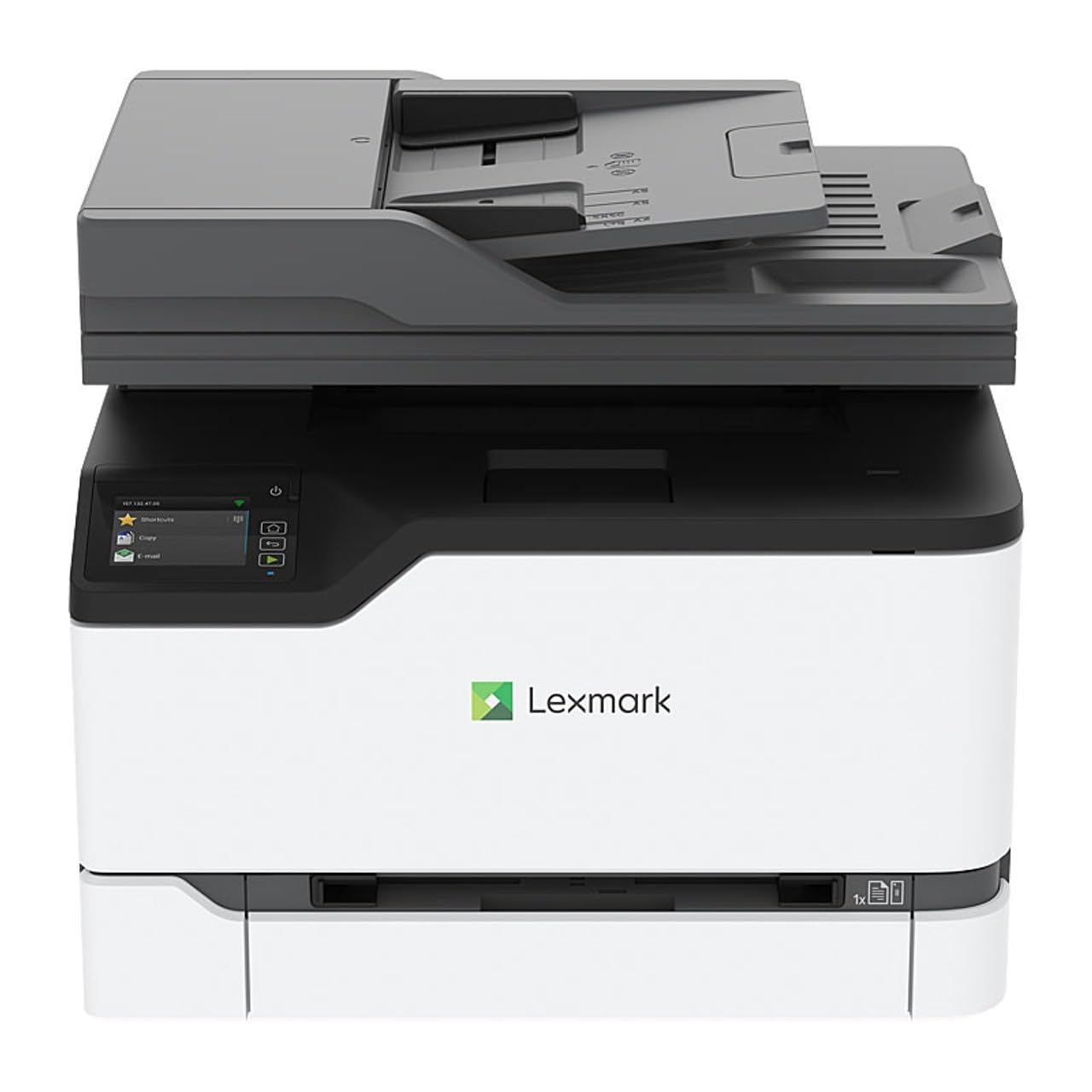
Boost productivity with the Lexmark B3442DW Mono Printer. It's high-performing and CarbonNeutral Certified, aligning with your organisation's sustainability and operational objectives. Features include printing up to 40 ppm, offering wired and wireless connectivity options, as well as an optional 550-sheet paper tray to meet your demanding printing needs.
Boost productivity with the Lexmark B3442DW Mono Printer. It's high-performing and CarbonNeutral Certified, aligning with your organisation's sustainability and operational objectives. Features include printing up to 40 ppm, offering wired and wireless connectivity options, as well as an optional 550-sheet paper tray to meet your demanding printing needs.
Lexmark B3442dw Mono Laser Printer
Boost productivity with the Lexmark B3442DW Mono Printer. It's high-performing and CarbonNeutral Certified, aligning with your organisation's sustainability and operational objectives. Features include printing up to 40 ppm, offering wired and wireless connectivity options, as well as an optional 550-sheet paper tray to meet your demanding printing needs.
Boost productivity with the Lexmark B3442DW Mono Printer. It's high-performing and CarbonNeutral Certified, aligning with your organisation's sustainability and operational objectives. Features include printing up to 40 ppm, offering wired and wireless connectivity options, as well as an optional 550-sheet paper tray to meet your demanding printing needs.
in 6 offers
The lowest price for Lexmark B3442dw Mono Laser Printer right now is $99.00 at Centre Com, compared across 6 retailers.
The all-time low was $86.00 on 5 Sept 2024 — today's price is 15% above the lowest ever. That's a little above the best price we've seen.
Prices last updated 6 Sept 2026.
Last updated at 06/09/2026 13:44:42
Lexmark B3442dw Mono Laser Printer
Free delivery
Affiliate Disclosure: We may receive a small commission for purchases made through this link at no extra cost to you. This helps support our site. Thank you!
Lexmark B3442DW Mono Duplex High-Speed Printer+Wi-Fi 40PPM Laser Printer
Delivery between Tue – Fri $38.46
Lexmark GoLine B3442dw Mono Laser Printer | 40 PPM | Wi-Fi Enabled [29S0334] | OzToner.au
Delivery between 9–14 Sept $26.05
Lexmark Goline B3442dw A4 Single Function Mono Laser Printer+wi-fi
Free delivery
Affiliate Disclosure: We may receive a small commission for purchases made through this link at no extra cost to you. This helps support our site. Thank you!
Lexmark B3442dw Mono Laser Printer 40ppm / Wireless / Duplex 29S0334
Free delivery between 8–14 Sept
Lexmark B3442dw Black And White Laser Printer [29S0334]
Delivery $39.95
originally posted on staples.com
This printer was easy to set up (and does not require any assembly), using my smart phone and wireless internet connection. If you don`t have a smart phone this comes with a CD installer (your computer would need to have a disc drive). Once this was connected to my wireless connection it was a breeze to get my computer to recognize it, without having to plug a USB in, and to start printing. This prints in black and white only, it is not a color printer. Also, it is a printer only, it does not scan, fax or make copies. If you just need a no-frills black and white printer that fits about a half a ream of paper, this is a great fit. It`s a laser printer (doesn`t use wet ink) so the documents come out clean and crisp with no smudging. My favorite thing about this ... MoreThis printer was easy to set up (and does not require any assembly), using my smart phone and wireless internet connection. If you don`t have a smart phone this comes with a CD installer (your computer would need to have a disc drive). Once this was connected to my wireless connection it was a breeze to get my computer to recognize it, without having to plug a USB in, and to start printing. This prints in black and white only, it is not a color printer. Also, it is a printer only, it does not scan, fax or make copies. If you just need a no-frills black and white printer that fits about a half a ream of paper, this is a great fit. It`s a laser printer (doesn`t use wet ink) so the documents come out clean and crisp with no smudging. My favorite thing about this printer is the double-sided printing capability. All I needed to do was select 2-sided from my word document and it printed 2-sided without me having to change any settings on the actual printer!Overall, I am very happy with this printer. I have a much older printer and this Lexmark is a nice upgrade as it`s more compact, lighter weight, doesn`t use a USB connection, is easier to connect using wifi and prints more quickly.
originally posted on staples.ca
The Lexmark B3442dw came fully assembled and was very easy to set up and use. I love the Wi-Fi connection and for the use of a home office printer it performs great. From a durability and performance standpoint, this printer is a great buy. I have printed several documents, but it is not commercially used, so I can’t speak for someone wanting to put this in an office environment where there is constant printing.Now to set-up. I said it was easy, but there are things you should know…Before buying this, you should know you really need a computer that reads CDs and a phone that can download the Lexmark app to get this up and running properly with Wi-Fi connection. The instructions that come in the box do not have words (pictures only) and only get you to a point ... MoreThe Lexmark B3442dw came fully assembled and was very easy to set up and use. I love the Wi-Fi connection and for the use of a home office printer it performs great. From a durability and performance standpoint, this printer is a great buy. I have printed several documents, but it is not commercially used, so I can’t speak for someone wanting to put this in an office environment where there is constant printing.Now to set-up. I said it was easy, but there are things you should know…Before buying this, you should know you really need a computer that reads CDs and a phone that can download the Lexmark app to get this up and running properly with Wi-Fi connection. The instructions that come in the box do not have words (pictures only) and only get you to a point that you can plug the printer directly into your computer to print. Note that the printer does not come with a cord to do this, however, so you would have to have one on hand if you don’t want to mess with Wi-Fi set-up.The printer does come with a CD, so I decided to pop that in and see what happened. The CD downloaded a program and then asked me to download the Lexmark app. I’m not super tech savvy but the program seemed to connect to the app which connected to the printer? I don’t know. However, being not tech savvy, I just did what it told me to do and it got set up just fine and I was able to print wirelessly. I’m not 100% sure what the program did from the CD since I entered all the Wi-Fi connection information into the app, but again… just put the CD in and do what it says.Hopefully that helps. Happy printing!
originally posted on staples.com
This is my first experience with a WiFi printer and I couldn`t be happier. No more getting up from the couch to connect the laptop to the printer in order to proofread hard copies of work/school documents. A major bonus for me, personally, is the ability to print documents from my smartphone (via an easy to install app) - no more need to email pdf docs to my PC to print, and the manufacturer provided CD made installation super simple.That said, the Lexmark B3442dw is a solid (23.2 lbs), monochromatic laser printer that encompasses just a small footprint at the corner of my desk. The print quality is crisp and clear, even when a small font size (8 or less) is utilized for citations, endnotes, etc. Charts, graphs and even coloring pages I printed for my grandchildren ... MoreThis is my first experience with a WiFi printer and I couldn`t be happier. No more getting up from the couch to connect the laptop to the printer in order to proofread hard copies of work/school documents. A major bonus for me, personally, is the ability to print documents from my smartphone (via an easy to install app) - no more need to email pdf docs to my PC to print, and the manufacturer provided CD made installation super simple.That said, the Lexmark B3442dw is a solid (23.2 lbs), monochromatic laser printer that encompasses just a small footprint at the corner of my desk. The print quality is crisp and clear, even when a small font size (8 or less) is utilized for citations, endnotes, etc. Charts, graphs and even coloring pages I printed for my grandchildren were sharp and clear, also. The main paper tray holds almost half a ream of paper, which is sufficient for at home/small office use, and a drop-down tray supports address labels, decorative or legal sized (8.5 x 14)paper and envelopes. An optional tray is available which will hold a full ream (500 count) of paper. The ecologically friendly duplex feature saves paper (and forests). The Lexmark B3442dw is also exceptionally quiet; the first time I sent a document to be printed, I had to get up to ensure the print job was actually completed - and sure enough - it was!!In summary, if you don`t need additional bells and whistles like a scanner or fax, this printer is a fantastic, mid-priced, basic workhorse - ideal for home, student, and small business or office use.
| Max Black Print Speed (ppm) | 40 |
| Black Print Resolution (dpi) | 2400 x 600 |
| Print Media | Envelopes, Labels, Plain Paper |
| Duplex Printing | Yes |
| Output Paper Tray (sheets) | 150 |

Lexmark B3442dw Mono Laser Printer
Free delivery
Affiliate Disclosure: We may receive a small commission for purchases made through this link at no extra cost to you. This helps support our site. Thank you!
Lexmark B3442DW Mono Duplex High-Speed Printer+Wi-Fi 40PPM Laser Printer
Delivery between Tue – Fri $38.46
Lexmark GoLine B3442dw Mono Laser Printer | 40 PPM | Wi-Fi Enabled [29S0334] | OzToner.au
Delivery between 9–14 Sept $26.05
Lexmark Goline B3442dw A4 Single Function Mono Laser Printer+wi-fi
Free delivery
Affiliate Disclosure: We may receive a small commission for purchases made through this link at no extra cost to you. This helps support our site. Thank you!
Lexmark B3442dw Mono Laser Printer 40ppm / Wireless / Duplex 29S0334
Free delivery between 8–14 Sept
This printer was easy to set up (and does not require any assembly), using my smart phone and wireless internet connection. If you don`t have a smart phone this comes with a CD installer (your computer would need to have a disc drive). Once this was connected to my wireless connection it was a breeze to get my computer to recognize it, without having to plug a USB in, and to start printing. This prints in black and white only, it is not a color printer. Also, it is a printer only, it does not scan, fax or make copies. If you just need a no-frills black and white printer that fits about a half a ream of paper, this is a great fit. It`s a laser printer (doesn`t use wet ink) so the documents come out clean and crisp with no smudging. My favorite thing about this ... MoreThis printer was easy to set up (and does not require any assembly), using my smart phone and wireless internet connection. If you don`t have a smart phone this comes with a CD installer (your computer would need to have a disc drive). Once this was connected to my wireless connection it was a breeze to get my computer to recognize it, without having to plug a USB in, and to start printing. This prints in black and white only, it is not a color printer. Also, it is a printer only, it does not scan, fax or make copies. If you just need a no-frills black and white printer that fits about a half a ream of paper, this is a great fit. It`s a laser printer (doesn`t use wet ink) so the documents come out clean and crisp with no smudging. My favorite thing about this printer is the double-sided printing capability. All I needed to do was select 2-sided from my word document and it printed 2-sided without me having to change any settings on the actual printer!Overall, I am very happy with this printer. I have a much older printer and this Lexmark is a nice upgrade as it`s more compact, lighter weight, doesn`t use a USB connection, is easier to connect using wifi and prints more quickly.
The Lexmark B3442dw came fully assembled and was very easy to set up and use. I love the Wi-Fi connection and for the use of a home office printer it performs great. From a durability and performance standpoint, this printer is a great buy. I have printed several documents, but it is not commercially used, so I can’t speak for someone wanting to put this in an office environment where there is constant printing.Now to set-up. I said it was easy, but there are things you should know…Before buying this, you should know you really need a computer that reads CDs and a phone that can download the Lexmark app to get this up and running properly with Wi-Fi connection. The instructions that come in the box do not have words (pictures only) and only get you to a point ... MoreThe Lexmark B3442dw came fully assembled and was very easy to set up and use. I love the Wi-Fi connection and for the use of a home office printer it performs great. From a durability and performance standpoint, this printer is a great buy. I have printed several documents, but it is not commercially used, so I can’t speak for someone wanting to put this in an office environment where there is constant printing.Now to set-up. I said it was easy, but there are things you should know…Before buying this, you should know you really need a computer that reads CDs and a phone that can download the Lexmark app to get this up and running properly with Wi-Fi connection. The instructions that come in the box do not have words (pictures only) and only get you to a point that you can plug the printer directly into your computer to print. Note that the printer does not come with a cord to do this, however, so you would have to have one on hand if you don’t want to mess with Wi-Fi set-up.The printer does come with a CD, so I decided to pop that in and see what happened. The CD downloaded a program and then asked me to download the Lexmark app. I’m not super tech savvy but the program seemed to connect to the app which connected to the printer? I don’t know. However, being not tech savvy, I just did what it told me to do and it got set up just fine and I was able to print wirelessly. I’m not 100% sure what the program did from the CD since I entered all the Wi-Fi connection information into the app, but again… just put the CD in and do what it says.Hopefully that helps. Happy printing!
This is my first experience with a WiFi printer and I couldn`t be happier. No more getting up from the couch to connect the laptop to the printer in order to proofread hard copies of work/school documents. A major bonus for me, personally, is the ability to print documents from my smartphone (via an easy to install app) - no more need to email pdf docs to my PC to print, and the manufacturer provided CD made installation super simple.That said, the Lexmark B3442dw is a solid (23.2 lbs), monochromatic laser printer that encompasses just a small footprint at the corner of my desk. The print quality is crisp and clear, even when a small font size (8 or less) is utilized for citations, endnotes, etc. Charts, graphs and even coloring pages I printed for my grandchildren ... MoreThis is my first experience with a WiFi printer and I couldn`t be happier. No more getting up from the couch to connect the laptop to the printer in order to proofread hard copies of work/school documents. A major bonus for me, personally, is the ability to print documents from my smartphone (via an easy to install app) - no more need to email pdf docs to my PC to print, and the manufacturer provided CD made installation super simple.That said, the Lexmark B3442dw is a solid (23.2 lbs), monochromatic laser printer that encompasses just a small footprint at the corner of my desk. The print quality is crisp and clear, even when a small font size (8 or less) is utilized for citations, endnotes, etc. Charts, graphs and even coloring pages I printed for my grandchildren were sharp and clear, also. The main paper tray holds almost half a ream of paper, which is sufficient for at home/small office use, and a drop-down tray supports address labels, decorative or legal sized (8.5 x 14)paper and envelopes. An optional tray is available which will hold a full ream (500 count) of paper. The ecologically friendly duplex feature saves paper (and forests). The Lexmark B3442dw is also exceptionally quiet; the first time I sent a document to be printed, I had to get up to ensure the print job was actually completed - and sure enough - it was!!In summary, if you don`t need additional bells and whistles like a scanner or fax, this printer is a fantastic, mid-priced, basic workhorse - ideal for home, student, and small business or office use.
I received this product in exchange for my unbiased opinion.Good printer for basic black and white print jobs. I was disappointed however that it arrived without an instruction booklet. Instead there was a piece of paper with set up illustrations. I’m not tech savvy so I searched online for a website with written instructions or video, but couldn’t find one. Also, there was a list of customer service numbers for every country except for the US.Initially this printer didn’t detect my Wi-Fi. I decided to restart the printer and then miraculously it appeared. Connecting to Wi-Fi after that was easy and my first attempt to print was effortless and fast! I was pleasantly surprised.In the past I’ve been loyal to one brand all-in-one printer and replacing the print ... MoreI received this product in exchange for my unbiased opinion.Good printer for basic black and white print jobs. I was disappointed however that it arrived without an instruction booklet. Instead there was a piece of paper with set up illustrations. I’m not tech savvy so I searched online for a website with written instructions or video, but couldn’t find one. Also, there was a list of customer service numbers for every country except for the US.Initially this printer didn’t detect my Wi-Fi. I decided to restart the printer and then miraculously it appeared. Connecting to Wi-Fi after that was easy and my first attempt to print was effortless and fast! I was pleasantly surprised.In the past I’ve been loyal to one brand all-in-one printer and replacing the print cartridges was easy and inexpensive. This Lexmark printer uses a toner cartridge that I’m not used to buying and, at the time of writing this review, it can’t be found online. I went to the Lexmark webpage and there are no toner cartridges for sale for this model and the ones they did offer for other models are expensive! I will look for a way to contact them and inquire when replacements will be available. Despite the toner replacement availability and high cost, I’m satisfied with the size of this printer as well as the ease and quality.
Packaging, unpacking, & physical setupThe printer arrived in perfect condition. The box is heavy duty and the printer was well protected inside the box. Removing the packing and physically setting up the printer was a breeze using the included picture instructions, right up to the point where the printer meets the PC.Software / Driver setupUnfortunately, the picture instructions did not provide much in the way of setting up the printer on the PC or network. The last picture shows a disk going to a laptop. No other picture shows connecting the printer to a computer or network. So, at this point, I have a printer sitting next to my desk, powered on and not connected to anything. Back to the last picture, to me, it says the software on the disk will be used to setup ... MorePackaging, unpacking, & physical setupThe printer arrived in perfect condition. The box is heavy duty and the printer was well protected inside the box. Removing the packing and physically setting up the printer was a breeze using the included picture instructions, right up to the point where the printer meets the PC.Software / Driver setupUnfortunately, the picture instructions did not provide much in the way of setting up the printer on the PC or network. The last picture shows a disk going to a laptop. No other picture shows connecting the printer to a computer or network. So, at this point, I have a printer sitting next to my desk, powered on and not connected to anything. Back to the last picture, to me, it says the software on the disk will be used to setup and configure the printer. So, this setup proved to be quite the adventure. Neither of my laptops have a CD/DVD drive, so I had to go online and search for the software. I ran through the install which was pretty basic and unfortunately did not make any effort to setup the printer on my network. I tried attaching the printer to my laptop using a USB cable, but still no go on wireless network. After going round and round for quite some time, I went to the single line display on the printer and maneuvered through the menus and found the wireless network setup. With very simple button controls and a long WiFi password, this took some time, but I finally was able to get it onto the network. Lexmark needs to update the instructions for this printer. Setup was ridiculous and not for the faint of heart.Print quality and speedI started off with some small 4-5 page docs to print. Once spooled up, the pages began shooting out. I am used to ink jet printing and my most recent printer did a decent job of printing quickly (at least text based files). But this Lexmark laser printer blew my ink jet away with its speed. Each page seemed flawless with sharp, clear text throughout. Now for the real test: A large with 145 pages with a mix of text and images. Spool up time to first print seemed a bit slow at 18 seconds and then it would print a few pages, pause, print a few pages, pause, repeat. This went on until the entire file had been spooled, then it was non-stop page after page until it reached the end, not even slowing down for the images. In total, this print job took about 5 minutes. While speed is important, not if quality suffers. Well, I can tell you the quality was just as impressive on the last page as the first. I am even impressed by how well this printer handled the images. They are crisp and clear and, as I mentioned, did not seem to slow the printer down in the slightest. One final test: Duplex printing - a great feature to help reduce the amount of paper required. I ran a 50-page file through printing both sides so it reads like a book. Similar to the other large job, spool up to first page printing took about 14 seconds. Also, followed the same pattern of printing a few pages, pausing, and repeating until whole file was spooled. Now the difference with this printout is how it handled side two of each piece of paper. Once again, I was impressed by the speed that the Lexmark ran through the duplex print job. Overall, it took just over 2 minutes to complete. While noticeably slower than the previous large print job, that is to be expected do the extra steps of pulling the paper back in and flipping it. Also, like the other large print job, the quality remained high from start to finish. Both sides sharp and smear free.Bottom LineI am super happy with my new laser printer. This easily blows my ink jet away in both speed and quality. And while I had an epic adventure with the software / driver setup, hopefully this was more a one off and not the norm. I can`t imagine Lexmark would still be in business if very many people went through my experience. I recommend this printer for all your black and white print jobs.
Lexmark B3442dw Printer is a basic, black and white laser printer. It has a few good featuresit is solely a printer (no scanner/fax/etc). The print quality is excellent. The paper tray is a good size for the printer. The printer has a small footprint and doesn`t require much space. It prints the pages very quickly. It also features two-sided printing.No assembly of the printer was required other than unpacking it. Setup could have been easier. For one thing, it requires a sixteen-digit PIN which seems excessive. It would not connect to the WIFI without first downloading the Lexmark mobile assistant app to an Android phoneseemed very strange. There were no instructions explaining this. I tried to install the software from the CD that came with the printer, but it ... MoreLexmark B3442dw Printer is a basic, black and white laser printer. It has a few good featuresit is solely a printer (no scanner/fax/etc). The print quality is excellent. The paper tray is a good size for the printer. The printer has a small footprint and doesn`t require much space. It prints the pages very quickly. It also features two-sided printing.No assembly of the printer was required other than unpacking it. Setup could have been easier. For one thing, it requires a sixteen-digit PIN which seems excessive. It would not connect to the WIFI without first downloading the Lexmark mobile assistant app to an Android phoneseemed very strange. There were no instructions explaining this. I tried to install the software from the CD that came with the printer, but it wouldn`t find the printer until the mobile assistant app was loaded to the phone which allowed the printer to connect to WIFI. It has been much simpler to set up other printers in the past. The printer appears to be quality-built, and the print quality and speed is excellent. The printer display is rather small but adequate. Once set up, the printer is very easy to use. I don`t think anything could be improved. Of course, I have not used it enough to judge what the toner life is.I would definitely recommend this product to a friend or family member. It is a high quality product that does exactly what I need it to do.
Upon receiving the Printer, unboxing and starting up, there was an error message. A piece of foam needed to be removed from the toner cartridge. This wasn`t very clear, as the instructions were only a series of vague pictures. Unfortunately the printer did not come with a USB cable either. Once the foam was removed, it says to download the Mobile Assistant App to setup the Wifi. This proved to be more challenging than expected. First, for android, there are two different official Lexmark Apps, and only one is the correct one, so choose wisely. The app has you connect to the printers wireless to setup your own wireless. Unfortunately, the app has a 2.5 star rating on the Play store. The app continued to spit out an error message, and was at times misleading. sending ... MoreUpon receiving the Printer, unboxing and starting up, there was an error message. A piece of foam needed to be removed from the toner cartridge. This wasn`t very clear, as the instructions were only a series of vague pictures. Unfortunately the printer did not come with a USB cable either. Once the foam was removed, it says to download the Mobile Assistant App to setup the Wifi. This proved to be more challenging than expected. First, for android, there are two different official Lexmark Apps, and only one is the correct one, so choose wisely. The app has you connect to the printers wireless to setup your own wireless. Unfortunately, the app has a 2.5 star rating on the Play store. The app continued to spit out an error message, and was at times misleading. sending you backwards, instead of forwards, once you complete the steps. When the wifi was finally setup, I was able to print wirelessly through my Computer and Android phone (by adding the ip address of the printer directly into my pixel 3xl while on the same wifi). Prints fast and does what it is supposed to. Print documents. Decent contrast for a laser printer, which wasn`t anything spectacular. Spit out 300 pages of taxes no problem. Easy to load with paper. No jams. All in all, a solid printer, once you go through the rigmarole of the initial setup which was NOT very user friendly.
The printer came packaged well, it was easy to take out of the box. The setup instructions were hard to see (in black and white) the pictures weren`t very clear but I managed to get it setup (plugged in and all tape/packaging removed) Next step was to add paper, the paper tray was stuck and was hard to open due to the spring mechanism inside the paper tray malfunctioning. I didn`t want to break it so I wiggled it and finally just yanked it open. The spring mechanism wasn`t damaged but this would have been a reason to return the printer. The driver install on a laptop that has no cd drive was very difficult because I could not find the B3442dw driver online. Because I installed generic drivers printing from the cd driveless computer didn`t work. I installed on my ... MoreThe printer came packaged well, it was easy to take out of the box. The setup instructions were hard to see (in black and white) the pictures weren`t very clear but I managed to get it setup (plugged in and all tape/packaging removed) Next step was to add paper, the paper tray was stuck and was hard to open due to the spring mechanism inside the paper tray malfunctioning. I didn`t want to break it so I wiggled it and finally just yanked it open. The spring mechanism wasn`t damaged but this would have been a reason to return the printer. The driver install on a laptop that has no cd drive was very difficult because I could not find the B3442dw driver online. Because I installed generic drivers printing from the cd driveless computer didn`t work. I installed on my laptop that has a cd drive and was able to install the printer driver and print successfully. The printer itself is very fast and the quality of the print jobs are excellent. I like that this printer has duplexing functionality, excellent. I installed the app on my iPhone and printed pictures from my phone, the quality of the pictures was good enough to frame and hang on my wall. My overall thoughts of the printer versus the good and bad I would recommend online driver install, colored print out of the quick setup instructions, and make a better paper tray.
I was excited to receive and start using my Lexmark B3442dw printer, but since it has arrived it has been nothing but a headache. First, there were zero setup/installation instructions included in the package... only one sheet of graphics showing how to plug it in and prep the toner. The only software-related component was a CD, which how many computers these days even come with CD drives anymore? I have both a laptop and a brand new desktop, neither of which have CD drives included. So naturally, I went online to try to find the appropriate driver(s) to install. Not only is my model number NOT available to seek additional support on the Lexmark site, the site itself is a nightmare to navigate and is not helpful at all.I ultimately gave up and called customer ... MoreI was excited to receive and start using my Lexmark B3442dw printer, but since it has arrived it has been nothing but a headache. First, there were zero setup/installation instructions included in the package... only one sheet of graphics showing how to plug it in and prep the toner. The only software-related component was a CD, which how many computers these days even come with CD drives anymore? I have both a laptop and a brand new desktop, neither of which have CD drives included. So naturally, I went online to try to find the appropriate driver(s) to install. Not only is my model number NOT available to seek additional support on the Lexmark site, the site itself is a nightmare to navigate and is not helpful at all.I ultimately gave up and called customer support, which I luckily got someone who was able to install the appropriate driver via remote desktop control. However, during this process (which took an hour) we ran into more issues: he did not have my printer model/serial number in his system to help me, so that took time for him to find a workaround AND the first print test resulted in an all black printed sheet, with white text. Remotely, he was able to fix that issue and the next print test printed just fine (white background, black text).The next day I was excited to start printing so I started with a multi-page document (24 pages, double sided), and it starts printing with the all-black background again. I went to my control panel > printers to try to troubleshoot it myself and even tried to do so via my word processing software, but couldn`t find anything related to this problem.I`m on my 5th call to customer support, which they still tell me they don`t have my model number in their system but will try to help me remotely. This has been a total nightmare of a process, product, and experience. I will never EVER use a Lexmark printer again.The only redeeming quality about this printer is that it prints pretty quickly, and I love the wireless functionality, which I know many printers out there have the same features so I will be looking into those other brands for my next printer.
I received this printer a few weeks ago in exchange for an honest review. I've used various other user printers in the past and this laser printer was extremely easy to set up. The laser printer does not come with a USB printer cable, and assumes you have to wireless to setup the device. There was no assembly required, however, you need to make sure that you remove the foam packing material from inside the printer prior to use. I found myself trying to print and it errors out with a vague message, only to find the foam material inside the toner area. I was able to connect 3 different laptops to the device without any issues. I've had other laser printers that I've had to use cords whenever I wanted to print documents and it's often cumbersome; however, the wireless ... MoreI received this printer a few weeks ago in exchange for an honest review. I've used various other user printers in the past and this laser printer was extremely easy to set up. The laser printer does not come with a USB printer cable, and assumes you have to wireless to setup the device. There was no assembly required, however, you need to make sure that you remove the foam packing material from inside the printer prior to use. I found myself trying to print and it errors out with a vague message, only to find the foam material inside the toner area. I was able to connect 3 different laptops to the device without any issues. I've had other laser printers that I've had to use cords whenever I wanted to print documents and it's often cumbersome; however, the wireless feature makes printing on the go effortless and takes less than a minute to print out documents. A final note, when connecting to a wireless access point, it becomes a little cumbersome inputting your password using the touchpanel. All in all, it's a very quick and easy printer to setup from out the box and get it up and running. I would highly recommend this printer to anyone in the market.
| Max Black Print Speed (ppm) | 40 |
| Black Print Resolution (dpi) | 2400 x 600 |
| Print Media | Envelopes, Labels, Plain Paper |
| Duplex Printing | Yes |
| Output Paper Tray (sheets) | 150 |