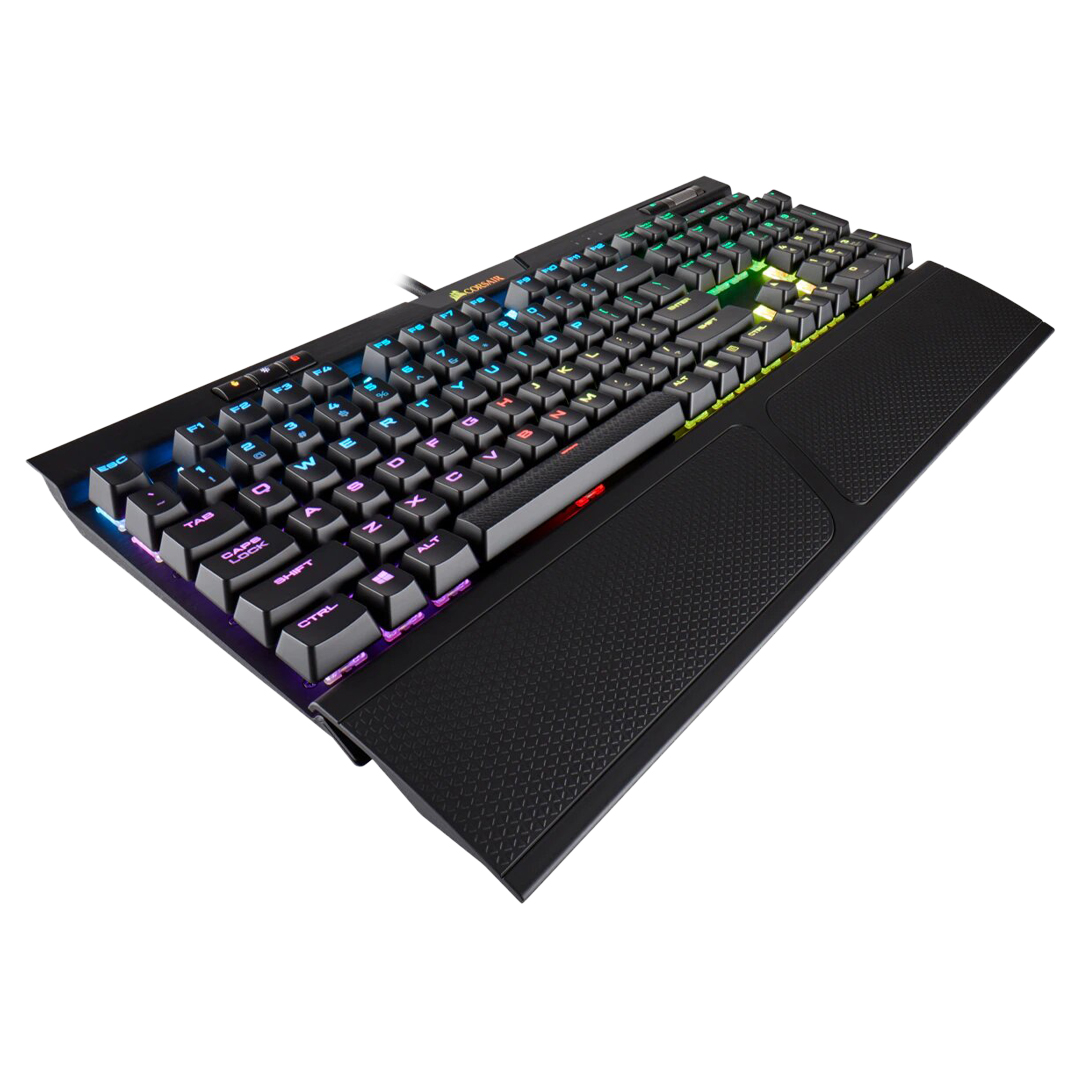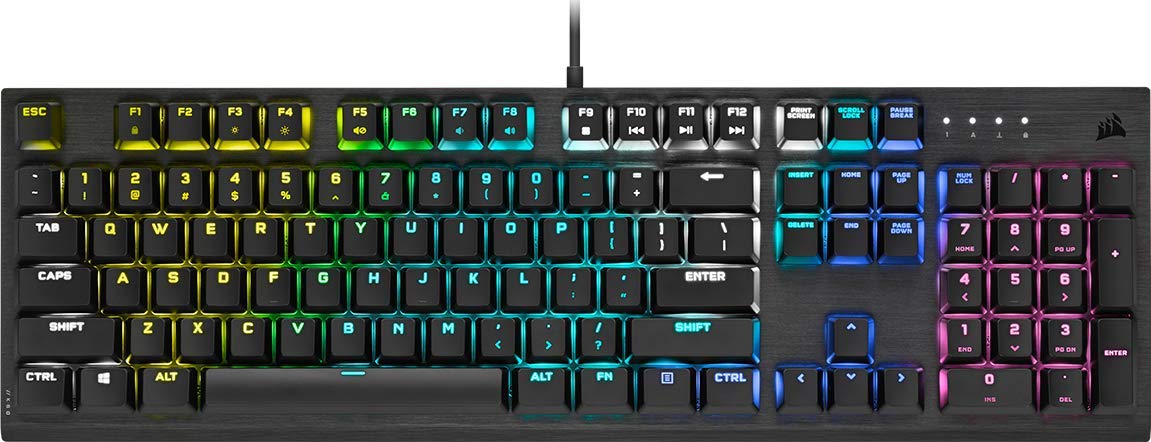
K60 RGB PRO Low Profile Mechanical Gaming Keyboard — CHERRY® MX Low Profile Speed
K60 RGB PRO Low Profile Mechanical Gaming Keyboard — CHERRY® MX Low Profile Speed
in 4 offers
The lowest price for Corsair K60 RGB Pro Mechanical Gaming Keyboard - Cherry Viola right now is $189.00 at Allneeds Computers, compared across 4 retailers.
The all-time low was $25.00 on 16 June 2024 — today's price is 656% above the lowest ever. It has been notably cheaper before — worth setting a price alert.
Prices last updated 8 Sept 2026.
Corsair K60 RGB Pro Mechanical Gaming Keyboard - Cherry Viola
K60 RGB PRO Low Profile Mechanical Gaming Keyboard — CHERRY® MX Low Profile Speed
K60 RGB PRO Low Profile Mechanical Gaming Keyboard — CHERRY® MX Low Profile Speed
Last updated at 08/09/2026 14:12:13
Corsair K60 RGB PRO SE Mechanical Gaming Keyboard Cherry Viola
Free delivery between Wed – Fri
Corsair K60 RGB Pro Mechanical Gaming Keyboard - Cherry Viola, Mechanical Switches, Durable Aluminum Frame, Customizable Per-Key RGB Backlighting | CH
Delivery between 11–17 Sept $44.63
Corsair K60 Rgb Pro Mechanical Gaming Keyboard - Cherry Viola Top
Free delivery
Affiliate Disclosure: We may receive a small commission for purchases made through this link at no extra cost to you. This helps support our site. Thank you!
Corsair K60 RGB Pro Mechanical Gaming Keyboard - CHERRY Mechanical Keyswitches - Durable AluminumFrame - Customizable Per-Key RGB Backlighting
Delivery between 13–17 Sept $35.88
originally posted on bestbuy.com
I have bought and returned this product twice, each time it had different issues. I am completely disappointed with this product. The first one I purchased, two keys completely stopped registering and the LEDs were dead within three months of purchase. I returned it and got a replacement. The second keyboard has dead LEDs within less than two months of purchase. When I tried removing and replacing the key caps with the proper tools, some keyswitches completely broke as they would not release the key caps. I have several Corsair products that I use and enjoy. This keyboard is not one of them.
originally posted on bestbuy.com
Garbage board. Bought just to try the cherry viola and the switches are terrible. Spongy mine as well be a membrane switch. They sound bad too. Not even worth $40. HyperX boards destroy this thing for far less money if you want a "gaming" pre built. Or just build your own board you could build a gmmk1 with any akko switch for the same price and it would not even be fair to compare them.
originally posted on scan.co.uk
Very pleased with this purchase - With the retail price for a new Corsair K60 at £110, picking up this refurb at £40 was an absolute steal (On a scan daily deal). My wife was keen on getting a new keyboard that works with iCue and looks good, but doesn't have a loud or clicky nature (she genuinely prefers quiet and smooth key travel as she uses her keyboard for work in addition to home use). This met all the criteria we were looking for - good cost, high quality feel, no bloated size from macro buttons she'll never use etc. Trust in Corsair's "refurbished" line as everything we've had from that line has been in tip top shape. Go for it.
| General | |
| Device Type | Keyboard |
| Backlit | RGB |
| Interface | USB |
| Input Device |
Corsair K60 RGB PRO SE Mechanical Gaming Keyboard Cherry Viola
Free delivery between Wed – Fri
Corsair K60 RGB Pro Mechanical Gaming Keyboard - Cherry Viola, Mechanical Switches, Durable Aluminum Frame, Customizable Per-Key RGB Backlighting | CH
Delivery between 11–17 Sept $44.63
Corsair K60 Rgb Pro Mechanical Gaming Keyboard - Cherry Viola Top
Free delivery
Affiliate Disclosure: We may receive a small commission for purchases made through this link at no extra cost to you. This helps support our site. Thank you!
Corsair K60 RGB Pro Mechanical Gaming Keyboard - CHERRY Mechanical Keyswitches - Durable AluminumFrame - Customizable Per-Key RGB Backlighting
Delivery between 13–17 Sept $35.88
I have bought and returned this product twice, each time it had different issues. I am completely disappointed with this product. The first one I purchased, two keys completely stopped registering and the LEDs were dead within three months of purchase. I returned it and got a replacement. The second keyboard has dead LEDs within less than two months of purchase. When I tried removing and replacing the key caps with the proper tools, some keyswitches completely broke as they would not release the key caps. I have several Corsair products that I use and enjoy. This keyboard is not one of them.
Garbage board. Bought just to try the cherry viola and the switches are terrible. Spongy mine as well be a membrane switch. They sound bad too. Not even worth $40. HyperX boards destroy this thing for far less money if you want a "gaming" pre built. Or just build your own board you could build a gmmk1 with any akko switch for the same price and it would not even be fair to compare them.
Very pleased with this purchase - With the retail price for a new Corsair K60 at £110, picking up this refurb at £40 was an absolute steal (On a scan daily deal). My wife was keen on getting a new keyboard that works with iCue and looks good, but doesn't have a loud or clicky nature (she genuinely prefers quiet and smooth key travel as she uses her keyboard for work in addition to home use). This met all the criteria we were looking for - good cost, high quality feel, no bloated size from macro buttons she'll never use etc. Trust in Corsair's "refurbished" line as everything we've had from that line has been in tip top shape. Go for it.
Its a fantasitc keyboard took me about 2 weeks to get used to it because i was using a clicky mecanical before its very easy to fat thumb and thats my complaint. It performs well and has better lighting than my previous board. Its great for gaming but definitely had a learning curve oh and the wrist rest is very comfy even more comfortable than Razers wrist rest. Highly reccomend getting the sku that comes with the wrist rest.
Great keyboard - very responsive and feels really good. Just two things to bear in mind: 1. some keycaps pop off easily (especially the top row function keys, or the corner CTRL keys) if flicked from the side by moving something on the desk (rare), and 2. the keys themselves are quiet enough but the metal chassis of the keyboard rings quite loudly/clearly with even moderate key strikes. Noise-cancelling headphones do help.
I've spent over 20 years using ergonomic style keyboards. The last 8 years I have used a Logitech K350 at home, and at work. Loved it. The first one I had at home lasted me 6 years. The second one only lasted 2 years, but it saw more use than the first thanks to me working from home, then gaming all night. I decided I'd like to try something with mechanical switches so I would no longer have to worry about the membrane and contact sheet wearing out. I couldn't find anything ergonomic I liked, so went for reviews, and price. It hasn't been a week yet, but I am liking this keyboard. Still trying to get used to a normal keyboard layout after so long on rounded ergonomic boards, but this really feels good to type on. I also like that if a key goes out, I can just get a ... MoreI've spent over 20 years using ergonomic style keyboards. The last 8 years I have used a Logitech K350 at home, and at work. Loved it. The first one I had at home lasted me 6 years. The second one only lasted 2 years, but it saw more use than the first thanks to me working from home, then gaming all night. I decided I'd like to try something with mechanical switches so I would no longer have to worry about the membrane and contact sheet wearing out. I couldn't find anything ergonomic I liked, so went for reviews, and price. It hasn't been a week yet, but I am liking this keyboard. Still trying to get used to a normal keyboard layout after so long on rounded ergonomic boards, but this really feels good to type on. I also like that if a key goes out, I can just get a replacement switch, instead of having to buy a whole new board. That alone is worth getting used to typing on a rectangle again.
Avoid this keyboard. Keys regularly double / triple tap. I've returned this twice, now on my third keyboard, and it still has keys (1 & O) that have bad input that double / triple tap. Three keyboards all with the same problem. CORSAIR keyboards used to mean quality - those days are gone. iCUE lighting software is not good either: The software must be running or else the keyboard is black. The software likes to close when initially loading up. Customization of color patterns are subpar. This keyboard is overpriced given that lack of QA. I'm done swapping these out at BB and am waiting for a deal on a different brand. Taking a $110 loss on this. If you're interested in a good wrist pillow but keys that don't work well - this is the keyboard for you.
I needed to replace, on short notice, a membrane keyboard that I spilled food in. I cannot easily describe the feeling of using a mechanical keyboard compared to a membene keyboard. I type faster and with better accuracy, as well as move around my MMORPG keybinds with greater efficiency, but the connection I make between body and peripheral is almost "1-to-1." This keyboard is quieter than others, too; a feature I required since I mostly use my keyboard during the evening and late night hours. Since I've only had this for about 1 month, I'm hesitant to give a 5 star rating. I'll call this a perfect 4.
No photo is needed I will just describe my experience. I saw other reviews noting the loudness of the key, that I was okay with as I am used to a loud keyboard. However, what I am NOT okay with is that it becomes unusable way too soon (Worst keyboard I've got). Within a month of using this product, the space button started malfunctioning. One single press registered multiple times (2x, 3x). So one press = multiple presses and turns out this was very bad for coding, writing documents or pretty much every editing activity since space is such a common character. Talked to customer service for about a month now (they are slow) and finally they asked me to carefully package this defective keyboard and ship it back to them (I have to pay the return shipping). TL;DR I used ... MoreNo photo is needed I will just describe my experience. I saw other reviews noting the loudness of the key, that I was okay with as I am used to a loud keyboard. However, what I am NOT okay with is that it becomes unusable way too soon (Worst keyboard I've got). Within a month of using this product, the space button started malfunctioning. One single press registered multiple times (2x, 3x). So one press = multiple presses and turns out this was very bad for coding, writing documents or pretty much every editing activity since space is such a common character. Talked to customer service for about a month now (they are slow) and finally they asked me to carefully package this defective keyboard and ship it back to them (I have to pay the return shipping). TL;DR I used to like Corsair but not anymore.
this keyboard has good response times for most keys but it ddouble-clicks on certain keys, like d andd the spacebar key. it also goes back and forth between double-clicking the d key andd not readding it at all and having to press it again. it takes either too much sensitivity and double-clicks or not enough and doesn't register the key stroke. the driver for this keyboard was 2.5 GB which feels like too much for a keyboardd driver, and was very dddifficult to uninstall. (took five minutes because it kept adding tasks on task manager during the uninstallation process. upddating the ddriver removedd the backlighting entirely which personally negates the main ddraw of the keyboardd. but installing the driver was the only way to change the backlighting pattern in the ... Morethis keyboard has good response times for most keys but it ddouble-clicks on certain keys, like d andd the spacebar key. it also goes back and forth between double-clicking the d key andd not readding it at all and having to press it again. it takes either too much sensitivity and double-clicks or not enough and doesn't register the key stroke. the driver for this keyboard was 2.5 GB which feels like too much for a keyboardd driver, and was very dddifficult to uninstall. (took five minutes because it kept adding tasks on task manager during the uninstallation process. upddating the ddriver removedd the backlighting entirely which personally negates the main ddraw of the keyboardd. but installing the driver was the only way to change the backlighting pattern in the first place (default without the ddriver is rainbow circles, ddefault after the driver is a constant actual rainbow) cherry violas are lightweight keyswitches & i would reccomendd them on another keyboard. though each keystroke has a hollow metallic ringing after each one, which can be irritating if you want a quieter keyboard. i can't tell if it's this specific keyboard backing or the keyswitches themselves, but the keyswitches feel nice.
| General | |
| Device Type | Keyboard |
| Backlit | RGB |
| Interface | USB |
| Input Device |